cancel
Showing results for 
Search instead for 
Did you mean: 

The Power BI Data Visualization World Championships is back! Get ahead of the game and start preparing now! Learn more

Reply
Anonymous
Not applicable

Getting Data error in Power Apps Visual inside Power BI Report

Hi Team,

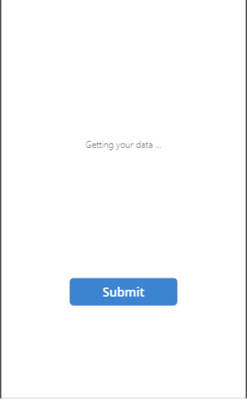
I have used Power apps Visual to do write-back operation inside Power BI Report. After changing the field in Power apps visual, on click of submit button, I am getting the following error.

nutanshukla_0-1661172760247.png


I have used SubmitForm(XX), Notify(), PowerBIIntegration.Refresh on click of submit button.

I have also used ResetForm(XX) on Success of the form XX.

and Item property of Form is a lookup which is taking data from Power BI Report.

2 REPLIES 2
Anonymous
Not applicable

@v-cazheng-msft , Thank you for replying. It's in Power BI Service.  One thing to mention that, the data source is connected to the Power BI report in the Direct query mode. 

v-cazheng-msft
Community Support
Community Support

Hi @Anonymous,


May I know whether this issue happen in Power BI Desktop or Power BI service? If it happens in Power BI Desktop, could you please try to remove this visual and recreate it?


If there is any post helps, then please consider Accept it as the solution to help the other members find it more quickly. If I misunderstand your needs or you still have problems on it, please let me know. Thanks a lot!


Best Regards,

Community Support Team _ Caiyun

Helpful resources

Announcements
November Power BI Update Carousel

Power BI Monthly Update - November 2025

Check out the November 2025 Power BI update to learn about new features.

Fabric Data Days Carousel

Fabric Data Days

Advance your Data & AI career with 50 days of live learning, contests, hands-on challenges, study groups & certifications and more!

FabCon Atlanta 2026 carousel

FabCon Atlanta 2026

Join us at FabCon Atlanta, March 16-20, for the ultimate Fabric, Power BI, AI and SQL community-led event. Save $200 with code FABCOMM.

Top Solution Authors