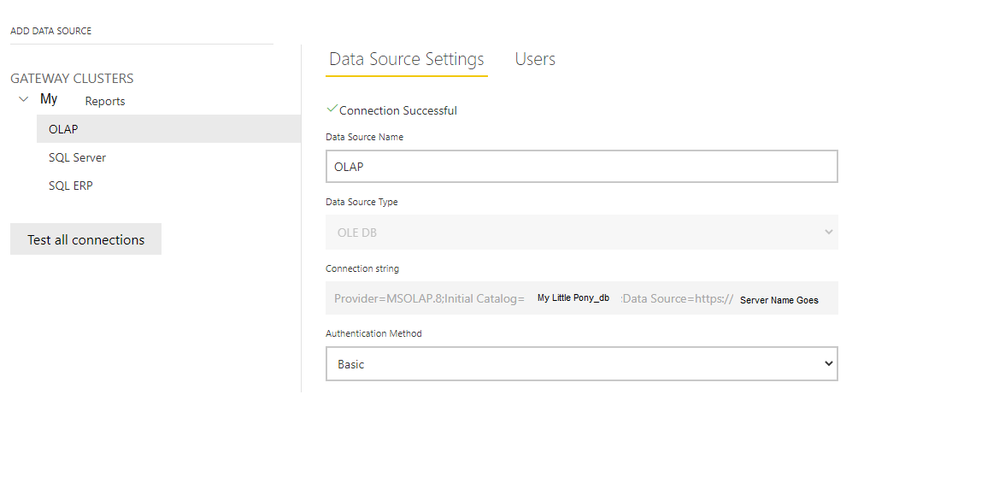
When publishing a Report from PowerBI Desktop with a WORKING datasource direct (aka IMPORT as Live is greyed out) connection to HTTPS://Server/msmdpump.DLL to PowerBI online, the Gateway Datasource Configuration is Missing in PowerBI online even though there is a working exact same OLE DB DataSource in the Gateway.
I am unable to CONFIGURE the Gateway to use the SAME working Datasource listed in the Gateway even though the data source is listed in the Gateway with no errors. I am assuming because the Datasource was OLEDB but PowerBI changes it to Analysis Services when it looks at the gateway to match the connection strings, the OLE DB wont match?
[I had created the same data source as OLE DB in both Desktop and in the Gateway- though I dont even want to use the gateway at all]
This pic is redacted but shows the Working Local Data Source in PBI Dekstop (no Gateway). The Gateway doesnot see this connect and I cannot compare the two connection strings to know they are 100% the same. Also the Gateway then tries to add a new Analysis Services connection when in fact it should be an OLE DB for the HTTPS Data pump to work..
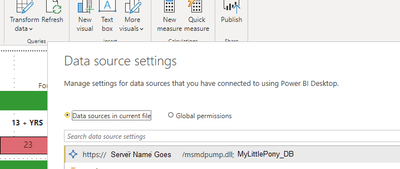
Here is the pic for the PowerBI online (Gateway below this image)