cancel
Showing results for 
Search instead for 
Did you mean: 

The FabCon + SQLCon recap series starts April 14th at 8am Pacific. If you’re tracking where AI is going inside Fabric, this first session is a can't miss. Register now

Reply
Anonymous
Not applicable

Filter pane appearing when report embedded in teams

Hi all,


I have build a calendar report with an embedded PowerApp for users to request their holidays. I have filtered the report by a certain team in the company and have hid the filter pane (attached a photo of the report). Note that in the top right hand corner I have circled in green that I have taken off the filter pane's option to be visible. Before I save the report I click on the arrow to the right of the green circle to minimise the filter pane (though I think this should not be necessary as it should not be visible to the viewer if not in edit mode).pbi_query1.png
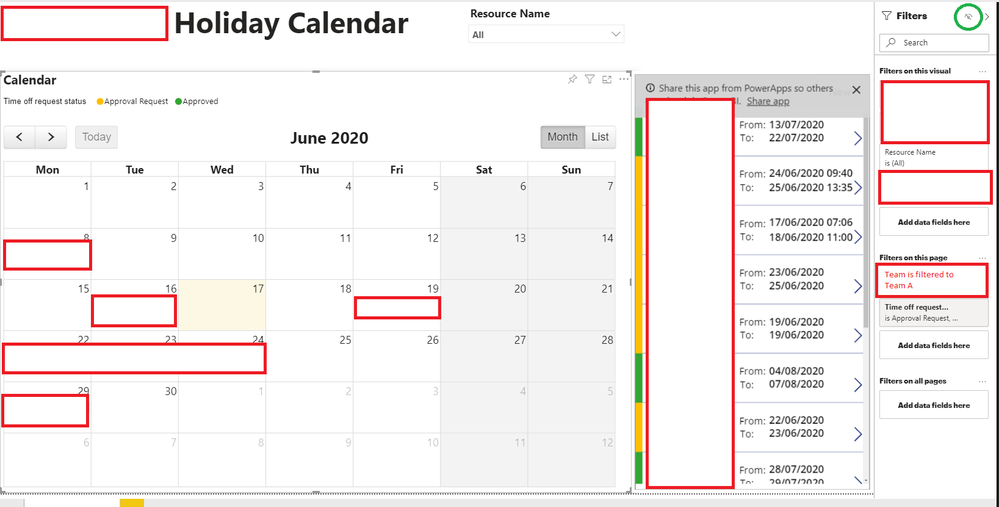
 

This is published in a premium workspace so there is no problem with the team viewing the report. Now I embed this as a tab for the team in their teams page like in this below screenshot.
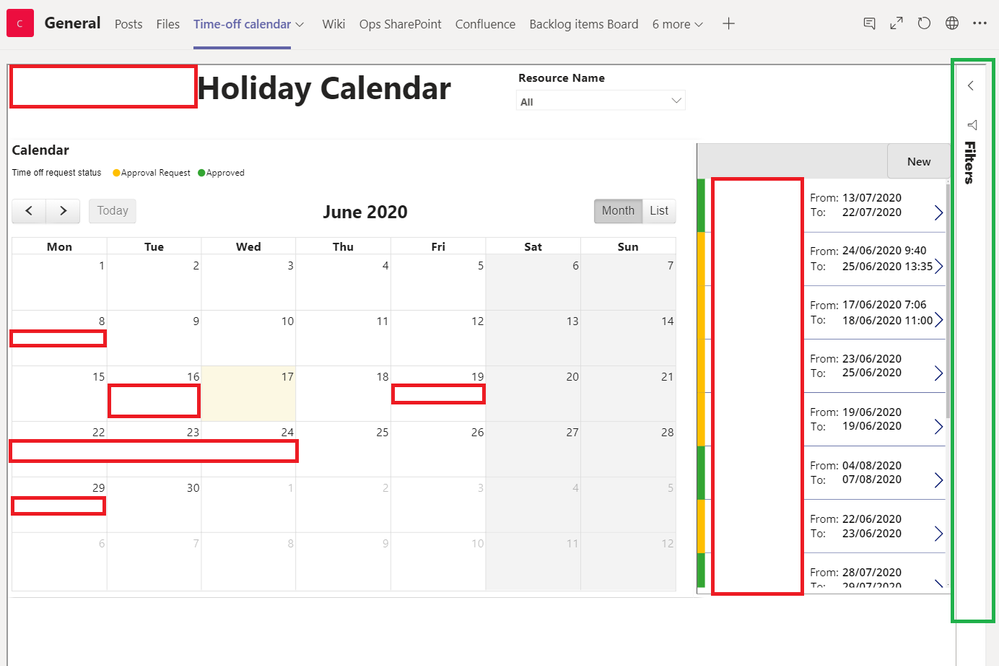
pbi_query2.png

However the filter pane is still visible here on the right hand side of the report in teams (box outlined in green). Is this a bug? I could not find an example of another question like this asked before on the forums. I do not find it that visually appealing for it to be there for the user and they if they open it I think it will take away from the user experience.


Please let me know your opinions on this.


1 ACCEPTED SOLUTION
Anonymous
Not applicable

Hi @Anonymous 

This is a known issue.  

I've copied this from another post...it's a workaround and has worked for some customers.

I've fixed the issue using PowerBi Javascript. Please read more about it here:


HTH,

Michele

View solution in original post

1 REPLY 1
Anonymous
Not applicable

Hi @Anonymous 

This is a known issue.  

I've copied this from another post...it's a workaround and has worked for some customers.

I've fixed the issue using PowerBi Javascript. Please read more about it here:


HTH,

Michele

Helpful resources

Announcements
New to Fabric survey Carousel

New to Fabric Survey

If you have recently started exploring Fabric, we'd love to hear how it's going. Your feedback can help with product improvements.

Power BI DataViz World Championships carousel

Power BI DataViz World Championships - June 2026

A new Power BI DataViz World Championship is coming this June! Don't miss out on submitting your entry.

Join our Fabric User Panel

Join our Fabric User Panel

Share feedback directly with Fabric product managers, participate in targeted research studies and influence the Fabric roadmap.

March Power BI Update Carousel

Power BI Community Update - March 2026

Check out the March 2026 Power BI update to learn about new features.

Top Solution Authors