Join us at FabCon Atlanta from March 16 - 20, 2026, for the ultimate Fabric, Power BI, AI and SQL community-led event. Save $200 with code FABCOMM.
Register now!Learn from the best! Meet the four finalists headed to the FINALS of the Power BI Dataviz World Championships! Register now
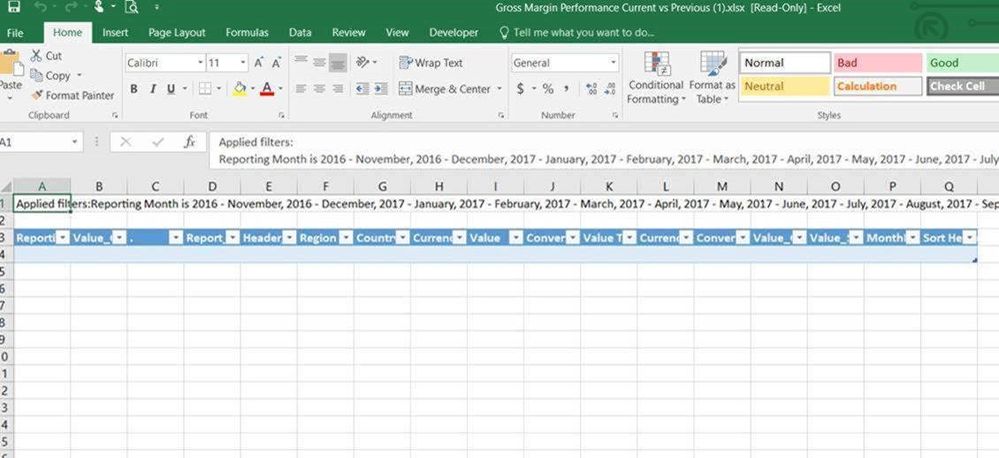
I am having an issue, the below report is not exporting any underlying data as shown below. There is no underlying data coming over in the Gross Margin Performance Current vs. Previous.
Below is my power bi report
There is no underlying data coming over in the Gross Margin Performance Current vs. Previous when I try to export the data in Power BI service.
Please help me solve the issue, thanks
Bhavesh
I used Clustered Column chart with Report month as Axis, (Order entry, Updated OEC, Curr OEC) as Legend and one calculated column (Value_GrossProfit_$ / Value_Sales_$ =
DIVIDE(SUM('GPM'[Value_GrossProfit_$]), SUM('GPM'[Value_Sales_$])) * 100) as Value.
I think the reason is, for using a calculated column in the visual I am not getting any underlying data when export.
How to resolve this problem? Help needed, thanks.
Bhavesh
Hi Bhaveshvp,
I am facing a similar problem. Did you find any solution?
Thanks!
Share feedback directly with Fabric product managers, participate in targeted research studies and influence the Fabric roadmap.
Check out the February 2026 Power BI update to learn about new features.
| User | Count |
|---|---|
| 40 | |
| 40 | |
| 34 | |
| 25 | |
| 25 |