cancel
Showing results for 
Search instead for 
Did you mean: 

The Power BI Data Visualization World Championships is back! Get ahead of the game and start preparing now! Learn more

Reply
MattKarriker2
Helper II
Helper II

Export PDF/PowerPoint with visual personalization

Good afternoon Forum

We are testing visual personalization with perspectives for one of our enterprise datasets.  The reports are very simple in nature, they have a filter section then a single blank visual with personalization activated and single perspective applied to the entire report.  We want the users to use this report as a guided ad-hoc report.  Once they set their filters and personalize the visual they want to export to PDF or Power Point. 

Once they export the report only the blank visual appears in the export.  We want the personalized visual to be exported but that is not what is happening.  Has anyone seen this behavior before?  If so, were you able to resolve this issue?  Any insight you may have into this issue is greatly appreciated. 


1 ACCEPTED SOLUTION
Anonymous
Not applicable

Hi @MattKarriker2 

I reproduce your problem in my test.

My report is in a new worksapce, this workspace is in premium capacity.

I build a blank visual in my report.
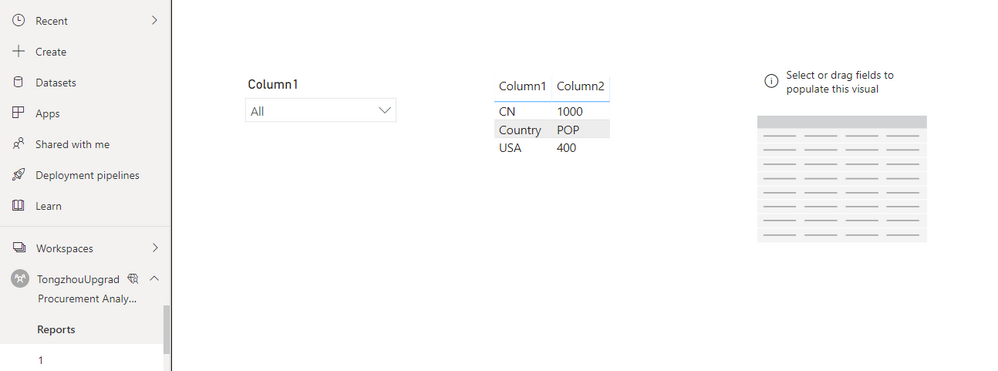
1.png

Then I use personalize function to add two column in this visual.
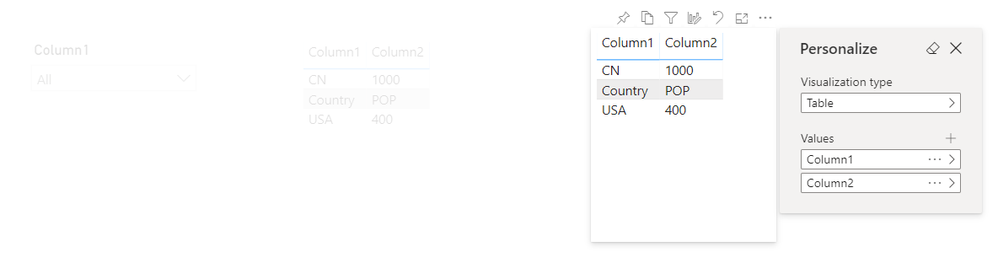
2.png

When I export this report to PDF/PowerPoint, I get a blank visual instead of a table visual with column1 and column2.
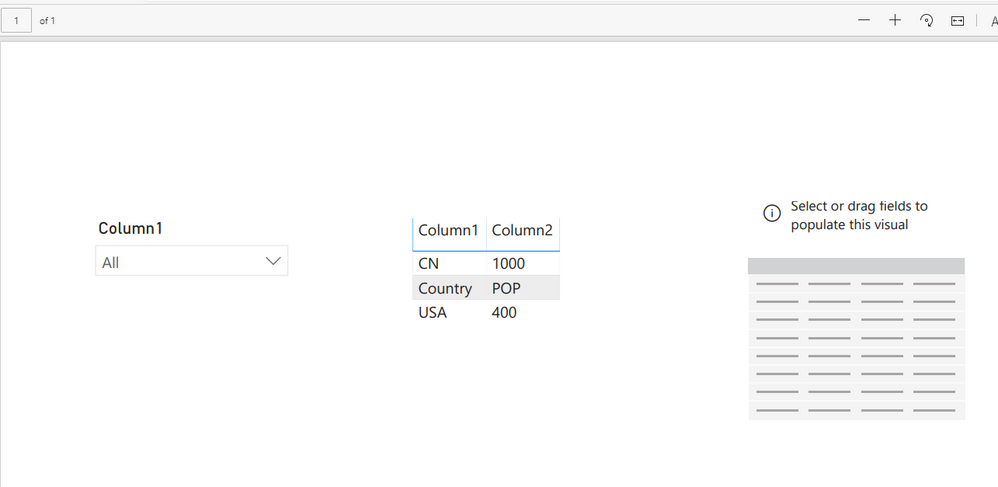
3.png

Your demand is a good idea, while it is not supported to implement in Power BI currently.
You can vote up this idea for this function:
Personalized Visuals Improperly Exporting to PDF and PPT

Or you can submit a new idea to improve the Power BI.
It is a place for customers provide feedback about Microsoft Office products . What’s more, if a feedback is high voted there by other customers, it will be promising that Microsoft Product Team will take it into consideration when designing the next version in the future.


Best Regards,

Rico Zhou


If this post helps, then please consider Accept it as the solution to help the other members find it more quickly. 

View solution in original post

3 REPLIES 3
aj1973
Community Champion
Community Champion

Hi @MattKarriker2 

Its weired, try to change the dataset into another Workspace and try again.


Regards
Amine Jerbi

If I answered your question, please mark this thread as accepted
and you can follow me on
My Website, LinkedIn and Facebook

Amine

Thank you for the suggestion.  I have moved the report to a new workspace and the issue is still there.  Perhaps a little more background on the set up of the report will help. The data source for this report is a composite model sitting in premium capacity.  Moving the dataset is not possible due to its size and incremental refresh.  The report itself sits in a workspace with premium capacity and references the composite model.  I don’t know if this plays a role in the behavior we are seeing but thought I would mention it.


Anonymous
Not applicable

Hi @MattKarriker2 

I reproduce your problem in my test.

My report is in a new worksapce, this workspace is in premium capacity.

I build a blank visual in my report.

1.png

Then I use personalize function to add two column in this visual.

2.png

When I export this report to PDF/PowerPoint, I get a blank visual instead of a table visual with column1 and column2.

3.png

Your demand is a good idea, while it is not supported to implement in Power BI currently.
You can vote up this idea for this function:
Personalized Visuals Improperly Exporting to PDF and PPT

Or you can submit a new idea to improve the Power BI.
It is a place for customers provide feedback about Microsoft Office products . What’s more, if a feedback is high voted there by other customers, it will be promising that Microsoft Product Team will take it into consideration when designing the next version in the future.


Best Regards,

Rico Zhou


If this post helps, then please consider Accept it as the solution to help the other members find it more quickly. 

Helpful resources

Announcements
Power BI DataViz World Championships

Power BI Dataviz World Championships

The Power BI Data Visualization World Championships is back! Get ahead of the game and start preparing now!

November Power BI Update Carousel

Power BI Monthly Update - November 2025

Check out the November 2025 Power BI update to learn about new features.

FabCon Atlanta 2026 carousel

FabCon Atlanta 2026

Join us at FabCon Atlanta, March 16-20, for the ultimate Fabric, Power BI, AI and SQL community-led event. Save $200 with code FABCOMM.