
Join us at FabCon Atlanta from March 16 - 20, 2026, for the ultimate Fabric, Power BI, AI and SQL community-led event. Save $200 with code FABCOMM.
Register now!Learn from the best! Meet the four finalists headed to the FINALS of the Power BI Dataviz World Championships! Register now
So I create an Excel workbook with an attached dataset, save the workbook in Onedrive for Business and uploaded the workbook. Why cannot you "refresh" the workbook or work with the pivot table in Excel online via PowerBI? How can I get around this and build a basic workbook for people to use in Excel Online (connected to the dataset)? If this is not possible, if they save the Workbook will they be able to refresh?
Hi,
According to your description, you should using Getting Data function on Power BI Service to get the workbook from OneDrive for Business rather than from the local.
If one file is uploaded from OneDrive for Business, any changes on the file from OneDrive for Business will be synchronized with the file on Power Bi Service.
Hope this can help.
Best Regards,
Giotto Zhi
Yes, but when you are in the service, go to workbooks, click a workbook and see it opens in excel online.....you cannot do anything. You cannot filter, modify the pivot table, pull in another field from the PowerBI dataset you built it on, or just refresh. What good is that?
Hi,
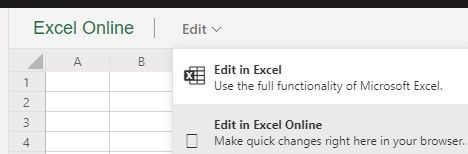
You can edit your workbook in Excel:
Or you can choose 'Import' when get data from OneDrive for Business.
And then use analyze in Excel function.
See this: https://docs.microsoft.com/en-us/power-bi/service-analyze-in-excel#get-started-with-analyze-in-excel
Best Regards,
Giotto Zhi
I cannot edit or refresh in PowerBI as I always get the following message:
Share feedback directly with Fabric product managers, participate in targeted research studies and influence the Fabric roadmap.
Check out the February 2026 Power BI update to learn about new features.