Join us at FabCon Atlanta from March 16 - 20, 2026, for the ultimate Fabric, Power BI, AI and SQL community-led event. Save $200 with code FABCOMM.
Register now!The Power BI Data Visualization World Championships is back! Get ahead of the game and start preparing now! Learn more
Hello,
I have encountered trouble and little help will be very much appreciated!
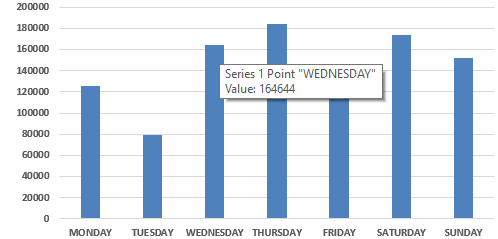
If you use an Excel created graph or chart in a PPT file, you can hover over the charts and see the data points in tooltip. But when you export the PowerBI report into PPT, you don't get this kind of interactivity. It's just a static image. Is there a way to achieve this?
I don't want to embed the charts as I'm not sure how safe it is to do that since these charts will be shared outside the organization.
Let me know if more information is required from my end.
Solved! Go to Solution.
In PowerPoin add new add-ins
PowerPoint -> Insert-> Get Add-ins -> Add Power BI -> Login
select your dashboard and access it from PowerPoint
From what I gathered from my research, apart from embedding using 3rd party add ons , there is no other option. It's one of the feature requests.
In PowerPoin add new add-ins
PowerPoint -> Insert-> Get Add-ins -> Add Power BI -> Login
select your dashboard and access it from PowerPoint
I think you mean Power BI Tiles.
I believe
@adityavighne wrote:In PowerPoin add new add-ins
PowerPoint -> Insert-> Get Add-ins -> Add Power BI -> Login
select your dashboard and access it from PowerPoint
it's a 3rd party resource and that too paid and I cannot suggest that to my company.
Export report in PowerPoint
The Power BI Data Visualization World Championships is back! Get ahead of the game and start preparing now!