cancel
Showing results for 
Search instead for 
Did you mean: 

Get Fabric Certified for FREE during AI Skills Fest. This week only. Secure your voucher now.

Reply
Haidannx
Helper I
Helper I

Error when Sharing report between 2 Pro Users

Hello Guys,


I have 2 Pro account.

1 to build and upload report and the other to receive and view report through the Share feature of Power BI Pro


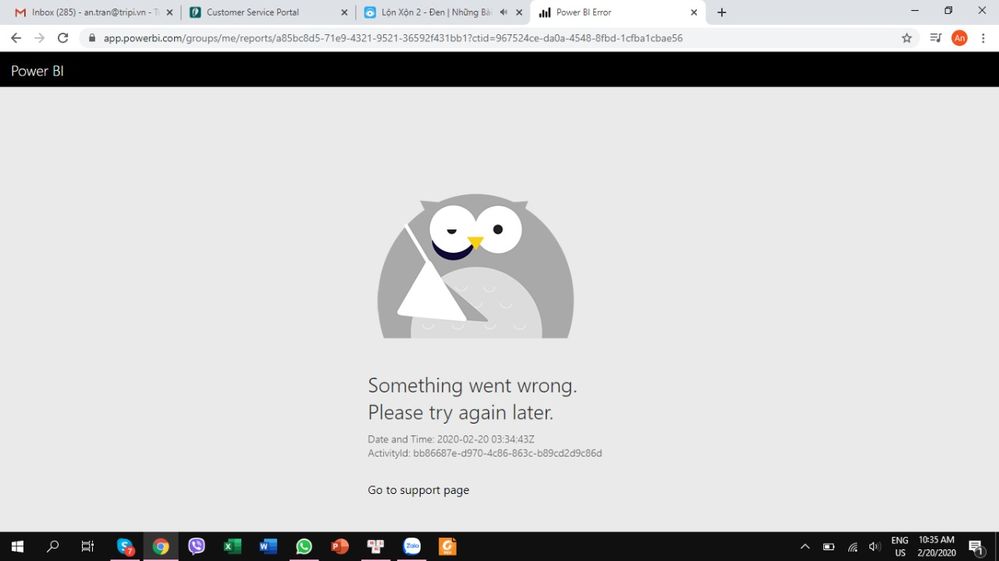
How ever, sometimes the View Account get a message like the image below when clicked into the report link:


WhatsApp Image 2020-02-20 at 10.35.42.jpeg


and i share the report through the link below


1.PNG


Anyone know what kind of error is this?

1 ACCEPTED SOLUTION
venal
Memorable Member
Memorable Member

@Haidannx 


Usually this type of issues will occur because of bad network.


Cann you please try to check the same in different network.


EX:- If the issue is occurs in Office network, try to check the same in Home Network (Wifi).


If possible, try to check to check the same in different machine.


If you have any concerns, please let us know.


If this post helps, then please consider Accept it as the solution to help the other members find it more
If this post was helpful may I ask you to mark it as solution and click on thumb symbol?


BR

Venal.

View solution in original post

2 REPLIES 2
v-xuding-msft
Community Support
Community Support

Hi @Haidannx ,

Have you resolved it? If not, you could try to share to another user to check if it works normally. And I agree with Venal. It might be caused by the network.  You need to try a few more times.


Best Regards,

Xue Ding

If this post helps, then please consider Accept it as the solution to help the other members find it more quickly.

Best Regards,
Xue Ding
If this post helps, then please consider Accept it as the solution to help the other members find it more quickly.
venal
Memorable Member
Memorable Member

@Haidannx 


Usually this type of issues will occur because of bad network.


Cann you please try to check the same in different network.


EX:- If the issue is occurs in Office network, try to check the same in Home Network (Wifi).


If possible, try to check to check the same in different machine.


If you have any concerns, please let us know.


If this post helps, then please consider Accept it as the solution to help the other members find it more
If this post was helpful may I ask you to mark it as solution and click on thumb symbol?


BR

Venal.

Helpful resources

Announcements
May Power BI Update Carousel

Power BI Monthly Update - May 2026

Check out the May 2026 Power BI update to learn about new features.

Fabric SQL PBI Data Days

Data Days 2026 coming soon!

Sign up to receive a private message when registration opens and key events begin.

New to Fabric survey Carousel

New to Fabric Survey

If you have recently started exploring Fabric, we'd love to hear how it's going. Your feedback can help with product improvements.

Power BI DataViz World Championships carousel

Power BI DataViz World Championships - June 2026

A new Power BI DataViz World Championship is coming this June! Don't miss out on submitting your entry.