This time we’re going bigger than ever. Fabric, Power BI, SQL, AI and more. We're covering it all. You won't want to miss it.
Learn moreDid you hear? There's a new SQL AI Developer certification (DP-800). Start preparing now and be one of the first to get certified. Register now
Hi Expert
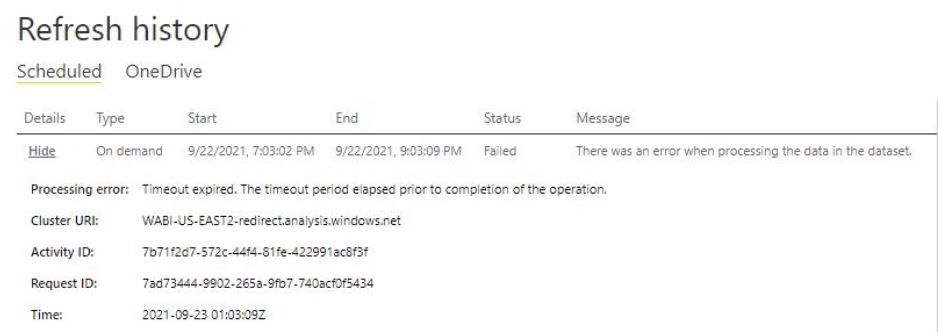
I have a situtation, one of my scheduler give me an error when i try to reaload (scheduler or on demand mode)
Attached the image with the error, it is a timeout error
I modify and put 120 minutes to each query, but have the same problem
any helps will be gratefull
Thanks , Fernando
Hi @Anonymous
It appears that it is not receiving all the data within the 120 minutes.
What you could do is either to use incremental refreshing so it does not have to import all the data, so doing it with smaller tables means more queries but each one will run quicker.
You can also make sure that your gateway has a fast internet connection and enough CPU and memory to process the data.
And finally if you can also make sure that your gateway has fast access to the source files so that this is not another bottleneck.
Check out the April 2026 Power BI update to learn about new features.
Sign up to receive a private message when registration opens and key events begin.
If you have recently started exploring Fabric, we'd love to hear how it's going. Your feedback can help with product improvements.
| User | Count |
|---|---|
| 10 | |
| 8 | |
| 7 | |
| 7 | |
| 7 |
| User | Count |
|---|---|
| 49 | |
| 27 | |
| 21 | |
| 20 | |
| 20 |