
This time we’re going bigger than ever. Fabric, Power BI, SQL, AI and more. We're covering it all. You won't want to miss it.
Learn moreJoin the FabCon + SQLCon recap series. Up next: Power BI, Real-Time Intelligence, IQ and AI, and Data Factory take center stage. All sessions are available on-demand after the live show. Register now
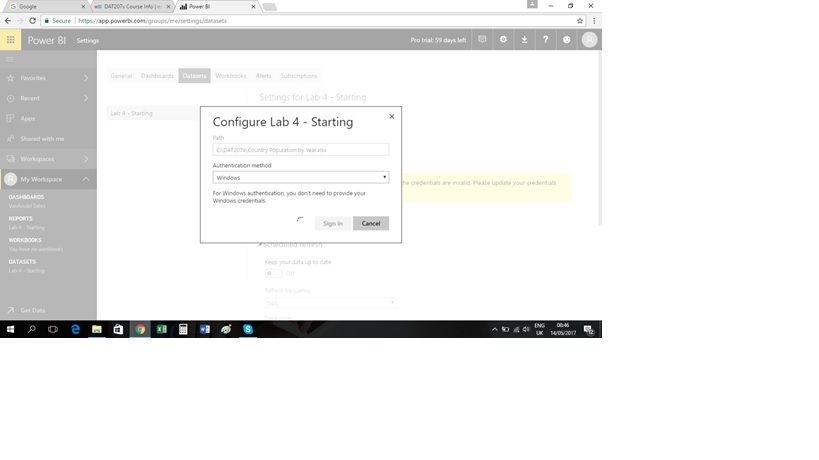
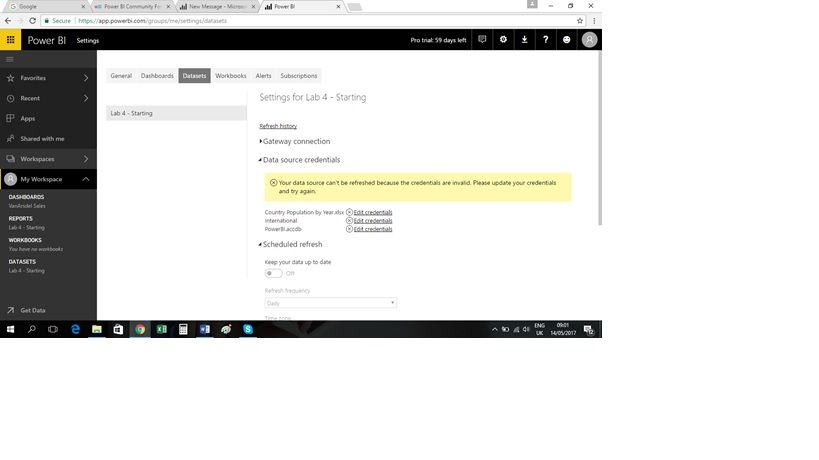
In the EDx training, I 'm having difficulties in Lab 4 with setting up an automated refresh of data. I set up the personal gateway without a problem but am getting error messages that my credentials are incorrect. When I click on the hyperlink, it's trying to authenticate through Windows but it's just hanging and nothing's happening.
Any idea where I'm going wrong/what's happening?
Thanks
Solved! Go to Solution.
Hi @Macek2017,
I reproduce your scenario, the error caused by two reasons. First reason is you changed your computer account or password, but you don't update the credentials. The second reason is you need to update your lasted version. Please troubleshoot according to the following steps. Don't hesite to ask if you still have any issue.
1. In your local computer, double click your personal gateway, sign in using your new account and password.
2. If the gateway connected successfully after the step1. You need to download the lastest version here. And install it, reconfigure it. Then it will prompt you edit credentials for your dataset model like the following screenshot.
3. Then you click Edit data resource->sign in. You'll set it successfully.
For more details, you can review this article.
Best Regards,
Angelia
Hi @Macek2017,
I reproduce your scenario, the error caused by two reasons. First reason is you changed your computer account or password, but you don't update the credentials. The second reason is you need to update your lasted version. Please troubleshoot according to the following steps. Don't hesite to ask if you still have any issue.
1. In your local computer, double click your personal gateway, sign in using your new account and password.
2. If the gateway connected successfully after the step1. You need to download the lastest version here. And install it, reconfigure it. Then it will prompt you edit credentials for your dataset model like the following screenshot.
3. Then you click Edit data resource->sign in. You'll set it successfully.
For more details, you can review this article.
Best Regards,
Angelia
Check out the April 2026 Power BI update to learn about new features.
If you have recently started exploring Fabric, we'd love to hear how it's going. Your feedback can help with product improvements.
A new Power BI DataViz World Championship is coming this June! Don't miss out on submitting your entry.
| User | Count |
|---|---|
| 11 | |
| 9 | |
| 8 | |
| 8 | |
| 7 |
| User | Count |
|---|---|
| 49 | |
| 34 | |
| 27 | |
| 21 | |
| 20 |