cancel
Showing results for 
Search instead for 
Did you mean: 

Level up your Power BI skills this month - build one visual each week and tell better stories with data! Get started

Reply

Drill down in Matrix Visualization

I am using Matrix Visualization in PowerBI report.

It has two step (level) drill down.

The drill down works fine in PowerBI Desktop however when I publish it to PowerBI service drill down wonly works for the 1st level.

The 2nd level doesn't open up or show when I click (+) sign adjacent to 1st level drill down.

Is there any limitation when using Matrix visualization


Also, I noticed that the double arrow showing "Go to next level of hierarchy" is inactive in App but it is active in Desktop.


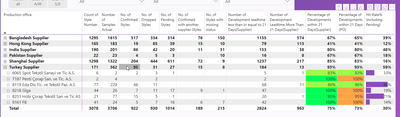
Below is the picture of PowerBI report in app.It only open to 1st level

nripendrasinha_3-1611295246426.png


However, in PowerBI Desktop the drill down works fine.


nripendrasinha_2-1611295205025.png

1 ACCEPTED SOLUTION
vanessafvg
Community Champion
Community Champion

its quite a hard issue to understand without being able to interact with it.   Have you tried deleting the report in the service and republishing?


If I took the time to answer your question and I came up with a solution, please mark my post as a solution and /or give kudos freely for the effort 🙂 Thank you!

Proud to be a Super User!


View solution in original post

4 REPLIES 4
vanessafvg
Community Champion
Community Champion

its quite a hard issue to understand without being able to interact with it.   Have you tried deleting the report in the service and republishing?


If I took the time to answer your question and I came up with a solution, please mark my post as a solution and /or give kudos freely for the effort 🙂 Thank you!

Proud to be a Super User!


I deleted the report and again published it...it works fine now :)...Thanks for the solution

vanessafvg
Community Champion
Community Champion

Ill be honest cant' really see the difference in the 2 pictures, did you navigate the hierarchy in exactly the same way and can you rather show the screenshots of when you have drilled down to the deepest level for each?


If I took the time to answer your question and I came up with a solution, please mark my post as a solution and /or give kudos freely for the effort 🙂 Thank you!

Proud to be a Super User!


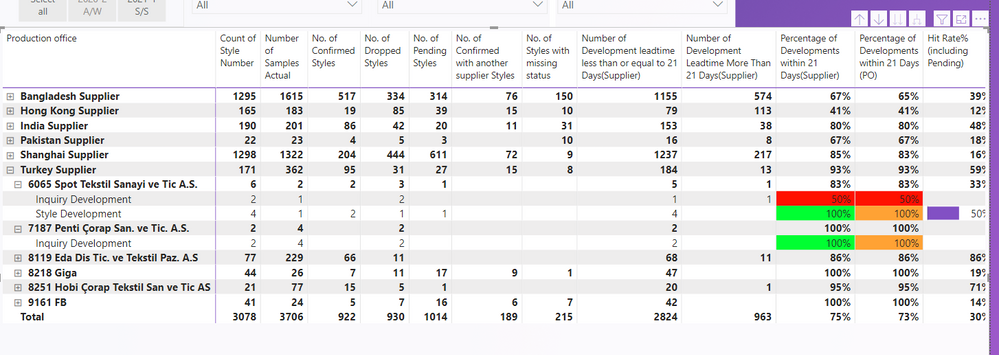
Sorry, Now I post the screenshot of Desktop.

It can be seen that I can open to the deepest level 


nripendrasinha_0-1611295857618.png


Helpful resources

Announcements
April Power BI Update Carousel

Power BI Monthly Update - April 2026

Check out the April 2026 Power BI update to learn about new features.

Fabric SQL PBI Data Days

Data Days 2026 coming soon!

Sign up to receive a private message when registration opens and key events begin.

New to Fabric survey Carousel

New to Fabric Survey

If you have recently started exploring Fabric, we'd love to hear how it's going. Your feedback can help with product improvements.

Power BI DataViz World Championships carousel

Power BI DataViz World Championships - June 2026

A new Power BI DataViz World Championship is coming this June! Don't miss out on submitting your entry.