Don't miss your chance to take the Fabric Data Engineer (DP-600) exam for FREE! Find out how by watching the DP-600 session on-demand now through April 28th.
Learn moreJoin the FabCon + SQLCon recap series. Up next: Power BI, Real-Time Intelligence, IQ and AI, and Data Factory take center stage. All sessions are available on-demand after the live show. Register now
Hi Powerbi Community,
We enabled the feature in our tenant to use direct query for powerbi dataset. The feature has been activated for our dev team so they can build dataset using other dataset from premium workspace and share the report to the organization. (link to the feature's doc : https://learn.microsoft.com/en-us/power-bi/connect-data/desktop-directquery-datasets-azure-analysis-...)
The feature works as inttended for the dev team, but when testing with users it is not working for them (even though they are member of the workspace).
The report opens for them but visuals fail to render :
Do we need to activate the feature for whole organization so they can open the report only?
Thank you!
If your users have the member role on the workspace where all the datasets reside, then I believe I am at a loss here. I will do some testing as we have the same scenario that will soon come to play.
What I think is that maybe the setting for DirectQuery to powrbi dataset has to be activated for report consumer as well. But we do not want to open this feature too wide in the organization.
From your picture, if you click on the "See details", what is the error message displayed?
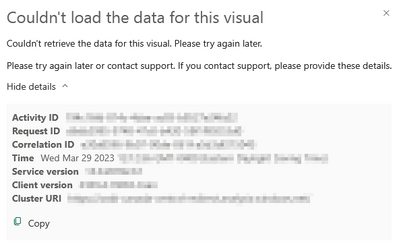
Here is the screenshot, not much help there I think 🙂
I believe your report consumers will need read permissions all datasets in the chain. If any dataset is in a Pro workspace, then it looks like they will also need build permissions on it. Interested in your result.
Hi @blopez11 all dataset and report are in the same premium workspace and users that are testing are member of the same workspace (so they have all permissions on all dataset)
However it is not working for them so far
Check out the April 2026 Power BI update to learn about new features.
If you have recently started exploring Fabric, we'd love to hear how it's going. Your feedback can help with product improvements.
A new Power BI DataViz World Championship is coming this June! Don't miss out on submitting your entry.
| User | Count |
|---|---|
| 10 | |
| 10 | |
| 9 | |
| 7 | |
| 7 |
| User | Count |
|---|---|
| 42 | |
| 31 | |
| 26 | |
| 19 | |
| 19 |