Share feedback directly with Fabric product managers, participate in targeted research studies and influence the Fabric roadmap.
Sign up nowGet Fabric certified for FREE! Don't miss your chance! Learn more
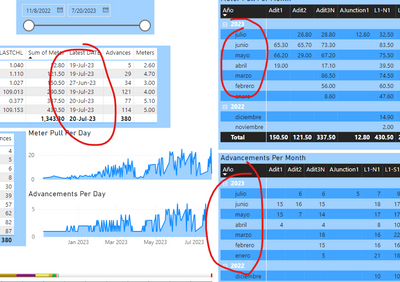
hi. i changed all fomat to english US but still date is showing in spanish (i am working in spanish company). you can on left side the date is in english but in matrix tabel it is still showing in spanish
Solved! Go to Solution.
Hi, @Anonymous
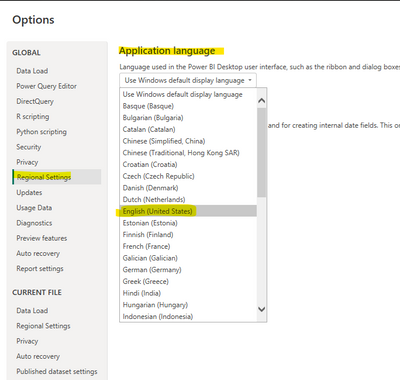
If you can change the Power BI desktop setting from the "Windows default display language" to the "English US", then restart the application of Power BI desktop and open the .pbix file again, then try to change the date column format to your ideal one:
Then you may try re-publish the report to the Power BI service, and check if the issue can be solved?
Thank you for your time and sharing, and thank you for your support and understanding of PowerBI!
Best Regards,
Aniya Zhang
If this post helps, then please consider Accept it as the solution to help the other members find it more quickly
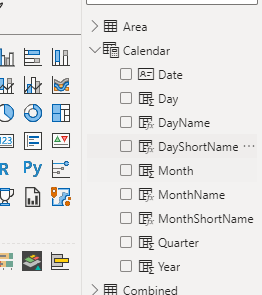
Thanks every one. although it didnt solve my problem but i asked our expert he told me to create a seperate calender (as shown in figure) and not to use the Date heriachy in powerbi.
Hi , @Anonymous
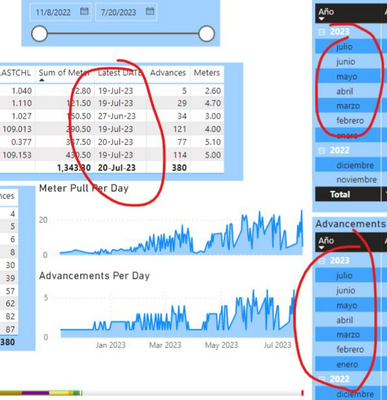
Based on my previous test and research, the date that was directly placed into the visual charts will output the value in the format that they are stored in the dataset, which stands for the "Data" view in the Power BI desktop source .pbix file, as you can see, the date in the left matrix was directly placed into the visual charts, but the date in the right matrix was placed using the date hierarchicay:
So I think for the final unification for the date's regional format in your Power BI report visuals, you can consider go to the Power BI desktop source .pbix file to check the column format setting for this date column and check if they can be using the date format in english US.
You can also refer to this official guidance documentation and check if it can make some help:
Add the locale in Power BI for Power BI visuals - Power BI | Microsoft Learn
Thank you for your time and sharing, and thank you for your support and understanding of PowerBI!
Best Regards,
Aniya Zhang
If this post helps, then please consider Accept it as the solution to help the other members find it more quickly
My all dates and format are all in English United states and also in my data the dates are in english. Even my laptop language is in english. i get this file from my manager his computer language was in spanish, does that setting affecting in my laptop
Hi, @Anonymous
If you can change the Power BI desktop setting from the "Windows default display language" to the "English US", then restart the application of Power BI desktop and open the .pbix file again, then try to change the date column format to your ideal one:
Then you may try re-publish the report to the Power BI service, and check if the issue can be solved?
Thank you for your time and sharing, and thank you for your support and understanding of PowerBI!
Best Regards,
Aniya Zhang
If this post helps, then please consider Accept it as the solution to help the other members find it more quickly
Share feedback directly with Fabric product managers, participate in targeted research studies and influence the Fabric roadmap.
If you love stickers, then you will definitely want to check out our Community Sticker Challenge!
Check out the January 2026 Power BI update to learn about new features.
| User | Count |
|---|---|
| 19 | |
| 8 | |
| 7 | |
| 7 | |
| 7 |
| User | Count |
|---|---|
| 52 | |
| 46 | |
| 25 | |
| 25 | |
| 24 |