This is best Fabric, Power BI, SQL and AI community event. How do we know? The last event sold out! Save €200 with code FABCMTY200.
Register nowA new Data Days event is coming soon! This time we’re going bigger than ever. Fabric, Power BI, SQL, AI and more. Don't miss out.
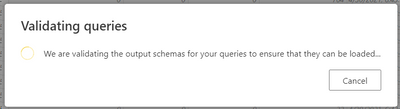
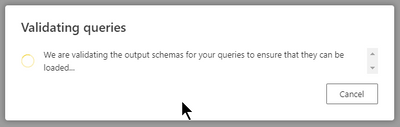
I created a dataflow, i just renamed the column names, and hit save and close, the data just has about 200 rows, then i get below screenshot that does not go away. Is it a better option to rename my column names in the dataset that takes in this dataflow instead ? Is this a flaw in power bi ?
Hi @Anonymous ,
Could you tell me if your problem has been solved?
Currently you can try to edit dataflow once again, make all changes and then hit save.
Best Regards,
Stephen Tao
If this post helps, then please consider Accept it as the solution to help the other members find it more quickly.
when is it supposed to be fixed? looking at
the whole day 😕
No, this has been reported as an issue a few times in the past two weeks. Oddly on the weekend for a handful of us it worked much fasters, but again starting today it went back to moving slowly. MSFT is supposed to make this a background process this month so they might be configuring it up to release along the time of MBAS later this week.
Sorry I did not follow, what is MBAs ? Is microsoft addressing this problem this week is what you were trying to say ?
MBAS is the Microsoft Business Application Summit which takes place later this week and they normally reveal big plans and release items that they've held onto for a bit. There is no guarantee that it will truly fix your issue, but as a best practice if you're going to be reusing this dataflow and the column within the table it probably would be best to do it within the dataflow and no there is no alternative, but to have it wait for validation.
Sign up to receive a private message when registration opens and key events begin.
If you have recently started exploring Fabric, we'd love to hear how it's going. Your feedback can help with product improvements.
| User | Count |
|---|---|
| 11 | |
| 10 | |
| 7 | |
| 7 | |
| 7 |
| User | Count |
|---|---|
| 28 | |
| 24 | |
| 22 | |
| 22 | |
| 17 |