Learn from the best! Meet the four finalists headed to the FINALS of the Power BI Dataviz World Championships! Register now
Hello Power BI Community,
As an organization, we internally share Power BI dashboards through the online service. However, as a content creator and database admin, I am cautious about the permissions available when a Power BI file is downloaded. When the file is opened in Desktop you can see the Server, Database Name, and Tables. Is there any way for a user to access the saved permissions (user and pass) on the file? The password is obfuscated when I look at the database permissions, but I wanted to be sure. We have set these permissions for "read-only", so it is not a large concern, I just wanted to know the extent of user access.
Solved! Go to Solution.
Hi @Anonymous ,
For import way, the user can download the report as a pbix and can view the content on their machine. However, They cannot refresh the data and edit the data in your datasouce. So the concern is not necessary here.
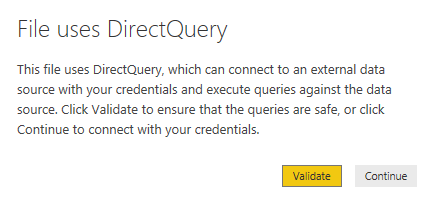
For direct query/live connection, the users can save the report as a pbix. But they cannot open the file.
BTW, Please refer to the online document to know about power bi security.
Hi @Anonymous ,
For import way, the user can download the report as a pbix and can view the content on their machine. However, They cannot refresh the data and edit the data in your datasouce. So the concern is not necessary here.
For direct query/live connection, the users can save the report as a pbix. But they cannot open the file.
BTW, Please refer to the online document to know about power bi security.
A new Power BI DataViz World Championship is coming this June! Don't miss out on submitting your entry.
Share feedback directly with Fabric product managers, participate in targeted research studies and influence the Fabric roadmap.