Join us at FabCon Atlanta from March 16 - 20, 2026, for the ultimate Fabric, Power BI, AI and SQL community-led event. Save $200 with code FABCOMM.
Register now!The Power BI Data Visualization World Championships is back! Get ahead of the game and start preparing now! Learn more
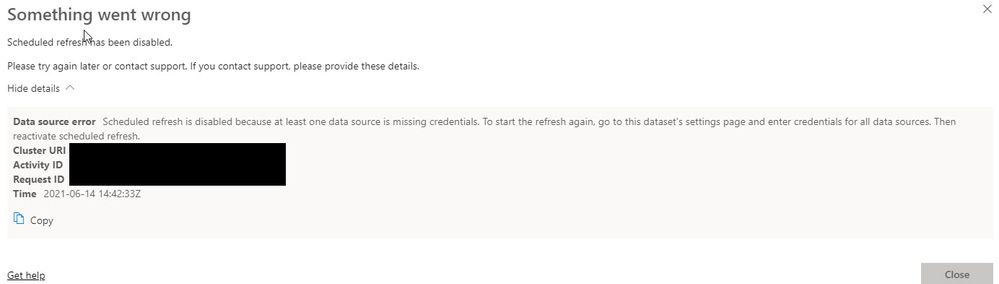
I have research to try and figure this out and for the life of me cannot figure this out as other connections coded in a similar fashion work fine. So what would I look for? The desktop works fine, can refresh easily. I publish but when I try and set up the gateway and a schedule I get the below error. It is configured no differently than other excel files. Any help would be appreciated.
Solved! Go to Solution.
Thsi is strange! Can you please try going to Data SOurce settings in pbix and CLear Permissions and then reenter once and redeploy.
If that dsnt work, please enable advanced logging in Gateway and then export logs after teh error and please look for the underlying error
Resolved..........as they say in IT - User Error!
Thsi is strange! Can you please try going to Data SOurce settings in pbix and CLear Permissions and then reenter once and redeploy.
If that dsnt work, please enable advanced logging in Gateway and then export logs after teh error and please look for the underlying error
Resolved..........as they say in IT - User Error!
The Power BI Data Visualization World Championships is back! Get ahead of the game and start preparing now!
| User | Count |
|---|---|
| 72 | |
| 59 | |
| 27 | |
| 23 | |
| 20 |