Hi everyone,
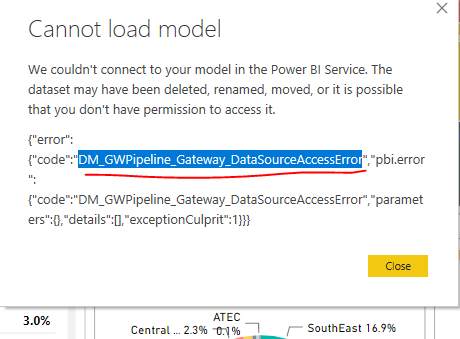
I’m facing an intermittent refresh issue in Power BI Service with the following error:
Data source error:
{"error":{"code":"DM_GWPipeline_Gateway_DataSourceAccessError","pbi.error":{"code":"DM_GWPipeline_Gateway_DataSourceAccessError","parameters":{},"details":[],"exceptionCulprit":1}}}
Some important details:
Gateway version: 3000.202.16
Data source types: SQL Server and Web
This started happening around March 2026, approximately.
Some semantic models use Excel files stored in OneDrive, connected in Power BI through a Web data source with OneDrive login.
However, the same error has also occurred in other semantic models that use only SQL Server.
SQL Server authentication: Basic authentication with username and password
The error is intermittent. Sometimes the refresh works normally for several days without any issue.
When the error happens, it always occurs right at the beginning of the refresh process.
It never happens after the refresh has been running for a long time.
After the error happens, if I manually click refresh again, the refresh always succeeds on the next attempt.
It happens with multiple semantic models, not only one.
I have already published the same semantic model to another workspace, and the same issue also occurred there.
I have also tested with another gateway on the same version, and the same behavior happened.
In both gateways, the pattern is the same: it works for days, then sometimes fails right at the beginning, and the next manual refresh succeeds.
The gateway machine remains online and available.
The data sources and credentials seem to be configured correctly, since successful refreshes happen using the same configuration.
Because the error happens only sometimes, always at the beginning of the refresh, and succeeds immediately on retry, I’m wondering if this could be related to a temporary gateway communication issue, network/authentication handshake, token/credential validation, or some transient issue in the Power BI Service/Gateway pipeline.
Has anyone experienced this behavior before?
What logs or specific information should I check to identify the root cause?
Any suggestions would be appreciated.
Thanks!