Hi,
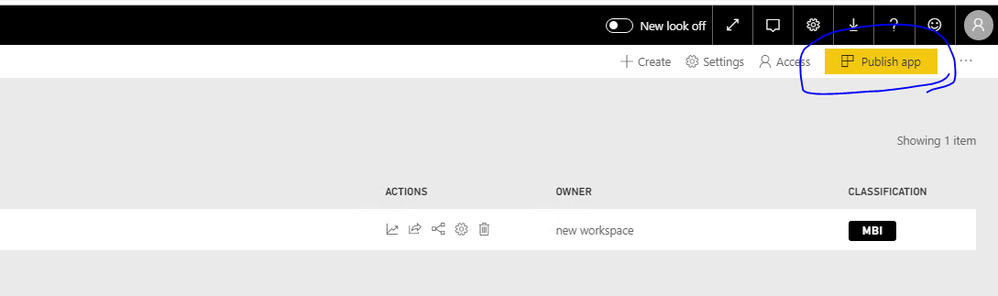
We have a template app workspace with an app which we are in the progress of getting approved at the store. Today I updated the content of the workspace with some changes requested, but when clicking the "Create App" button to publish, nothing happens.
In the console, I see the following error;
web.bundle.min.js:6 NavigationError(id: 7, url: '/groups/cb2a6213-14b5-401b-98a1-a8a06260443d/apps/app-settings', error: [object Object])
web.bundle.min.js:6 terror: activityId: "cb9cb76b-0459-4fcb-b636-4a159a5819fc"data: {error: {…}}error: code: "PowerBIEntityNotFound"pbi.error: code: "PowerBIEntityNotFound"details: []parameters: {}__proto__: Object__proto__: Objectheaders: ƒ (e)pendingRequestCount: 1requestId: "b76e4391-2e76-0df5-c6b4-4c382647ff70"responseRequestId: "b76e4391-2e76-0df5-c6b4-4c382647ff70"status: 404__proto__: Objectid: 7url: "/groups/cb2a6213-14b5-401b-98a1-a8a06260443d/apps/app-settings"__proto__: Object
ai.0.js:1 AI: StringValueTooLong message:"string value is too long. It has been truncated to 1024 characters." props:"{value:Error: Uncaught (in promise): Object: {\data\:{\error\:{\code\:\PowerBIEntityNotFound\,\pbi.error\:{\code\:\PowerBIEntityNotFound\,\parameters\:{},\details\:[]}}},\status\:404,\activityId\:\cb9cb76b-0459-4fcb-b636-4a159a5819fc\,\requestId\:\b76e4391-2e76-0df5-c6b4-4c382647ff70\,\responseRequestId\:\b76e4391-2e76-0df5-c6b4-4c382647ff70\,\error\:{\code\:\PowerBIEntityNotFound\,\pbi.error\:{\code\:\PowerBIEntityNotFound\,\parameters\:{},\details\:[]}},\pendingRequestCount\:1}\n    at s (https://app.powerbi.com/13.0.10457.155/scripts/powerbiportal.dependencies.externals.bundle.min.js:7:962)\n    at s (https://app.powerbi.com/13.0.10457.155/scripts/powerbiportal.dependencies.externals.bundle.min.js:7:518)\n    at https://app.powerbi.com/13.0.10457.155/scripts/powerbiportal.dependencies.externals.bundle.min.js:7:1561\n    at t.invokeTask (https://app.powerbi.com/13.0.10457.155/scripts/powerbiportal.dependencies.externals.bundle.min.js:6:29050)\n    at Object.onInvokeTask (https://app.powerbi.com/13.0.10457.155/scripts/w}"
o.warnToConsole @ ai.0.js:1
Any ideas for fixing the issue?