
Join us at FabCon Atlanta from March 16 - 20, 2026, for the ultimate Fabric, Power BI, AI and SQL community-led event. Save $200 with code FABCOMM.
Register now!The Power BI Data Visualization World Championships is back! Get ahead of the game and start preparing now! Learn more
Hi
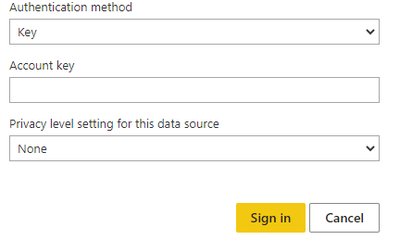
I am getting an error when I try to connect my Cosmos DB in the service (premium capacity). The account key
The account key works in Desktop. What could be the issue? Are there alternatives to fix this? I find it strange that its no longer in Beta but not refreshable.
Thanks for answering, that didn't help though
There are two ways to refresh data: ad hoc and scheduled. Simply click Refresh Now to refresh the data. For a scheduled refresh, go to Settings, open the Datasets tab. Click on Scheduled Refresh and set your schedule.
I am trying to shedule the refresh. The troubleshooting did not seem to help in this case.
Hi @kellysav
Please see if this helps you.
https://learn.microsoft.com/en-us/azure/cosmos-db/nosql/powerbi-visualize
The Power BI Data Visualization World Championships is back! Get ahead of the game and start preparing now!
| User | Count |
|---|---|
| 48 | |
| 46 | |
| 44 | |
| 16 | |
| 15 |