cancel
Showing results for 
Search instead for 
Did you mean: 

The Power BI Data Visualization World Championships is back! Get ahead of the game and start preparing now! Learn more

Reply
Anonymous
Not applicable

Cannot load model with direct query and azure sql database

I am trying to create reports with DirectQuery coming from an Azure SQL Database, however, when I try to load them in the Power BI service I get a "Cannot load model" error message. I do not have troubles creating and sharing reports with the Import method. Tha "Allow access to Azure services" option from the database is also on.


The complete message is the following:

Cannot load model

Couldn't load the model schema associated with this report. Make sure you have a connection to the server, and try again.
Please try again later or contact support. If you contact support, please provide these details.


Thank you for your support,


Raúl EM

1 ACCEPTED SOLUTION
v-piga-msft
Resident Rockstar
Resident Rockstar

Hi @Anonymous ,

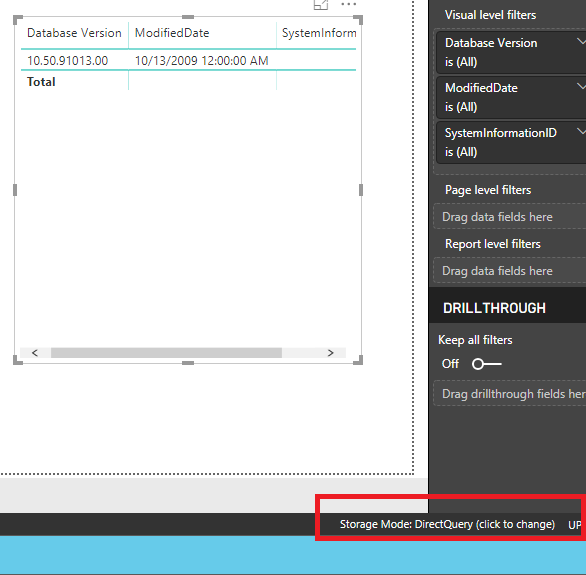
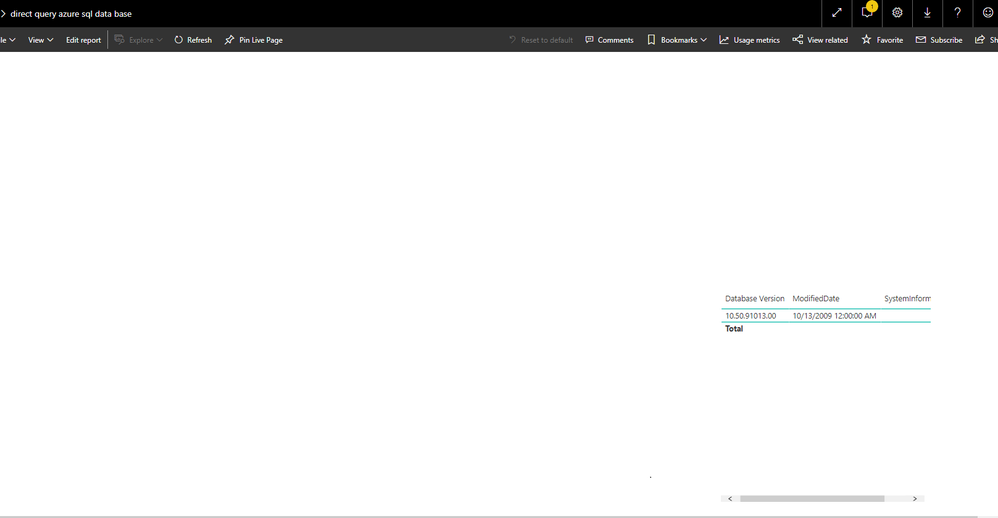
By my tests with getting data in Azure SQL Database in power bi desktop ( version 2.69.5467.2151) and then publish the report to Power BI Service, everything works as expected.

Here is my test output.

get data in power bi desktop.png

load in power bi service.png

Please check if you have installed the latest version of Power BI Desktop firstly.

In addition, if I understand your scenario correctly that you could load the data successfully in Power BI Desktop but it cannot load in Power BI Service?

If so, do you have other data source in your report?

Best Regards,

Cherry


Community Support Team _ Cherry Gao
If this post helps, then please consider Accept it as the solution to help the other members find it more quickly.

View solution in original post

2 REPLIES 2
v-piga-msft
Resident Rockstar
Resident Rockstar

Hi @Anonymous ,

Have you solved your problem?

If you have solved, please always accept the replies making sense as solution to your question so that people who may have the same question can get the solution directly.

If you still need help, please feel free to ask.

Best  Regards,

Cherry


Community Support Team _ Cherry Gao
If this post helps, then please consider Accept it as the solution to help the other members find it more quickly.
v-piga-msft
Resident Rockstar
Resident Rockstar

Hi @Anonymous ,

By my tests with getting data in Azure SQL Database in power bi desktop ( version 2.69.5467.2151) and then publish the report to Power BI Service, everything works as expected.

Here is my test output.

get data in power bi desktop.png

load in power bi service.png

Please check if you have installed the latest version of Power BI Desktop firstly.

In addition, if I understand your scenario correctly that you could load the data successfully in Power BI Desktop but it cannot load in Power BI Service?

If so, do you have other data source in your report?

Best Regards,

Cherry


Community Support Team _ Cherry Gao
If this post helps, then please consider Accept it as the solution to help the other members find it more quickly.

Helpful resources

Announcements
Power BI DataViz World Championships

Power BI Dataviz World Championships

The Power BI Data Visualization World Championships is back! Get ahead of the game and start preparing now!

December 2025 Power BI Update Carousel

Power BI Monthly Update - December 2025

Check out the December 2025 Power BI Holiday Recap!

FabCon Atlanta 2026 carousel

FabCon Atlanta 2026

Join us at FabCon Atlanta, March 16-20, for the ultimate Fabric, Power BI, AI and SQL community-led event. Save $200 with code FABCOMM.