Join us at FabCon Atlanta from March 16 - 20, 2026, for the ultimate Fabric, Power BI, AI and SQL community-led event. Save $200 with code FABCOMM.
Register now!The Power BI Data Visualization World Championships is back! Get ahead of the game and start preparing now! Learn more
Hello,
I have two reports having same datasource configuration (both the reports uses SSAS Datamodels) and I have two users: User-1 and User-2.
User-1 is an administrator for the gateway. User-1 owns the workspace and has made User-2 an Admin of the workspace.
I have uploaded both the reports in the workspace, here is what I see:
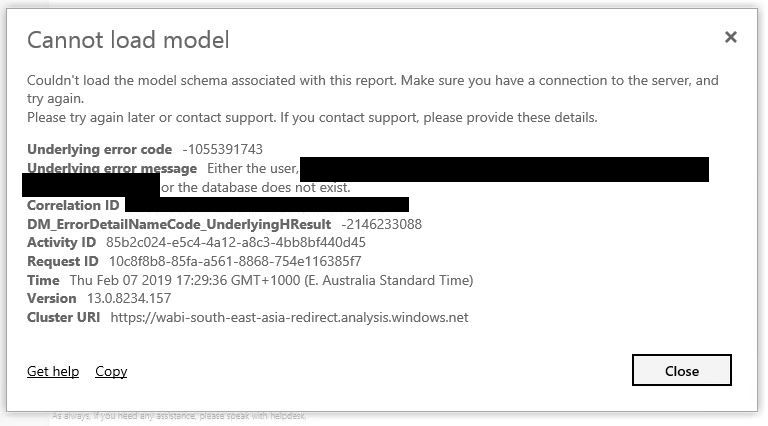
User-1 can see both the reports (Report1 and Report2), while User-2 can see Report1 successfully and gets the following dialog box for Report2:
Both the databases used in report are setup in Data Source Settings in Power BI Gateway.
I cannot understand why we are getting the above error. Any help would be grateful.
Thanks in advance.
HI @rajulshah,
Can you confirm user2 has enough permission to view both two SSAS datasource?
You can add measures with USERNAME, USERPRINCIPALNAME function to check current user account if he can mapping the SSAS user roles which you configured on databased side.
If this is a case, you can try to turn on 'map user name' features:
Manage your data source - Analysis Services
Regards,
Xiaoxin Sheng
The Power BI Data Visualization World Championships is back! Get ahead of the game and start preparing now!