cancel
Showing results for 
Search instead for 
Did you mean: 

Data Days is here! Join us now for 60+ days of learning, challenges, and connection. Learn more

Reply
Anonymous
Not applicable

Cannot Load Data Model for Dataverse source

Hi all,


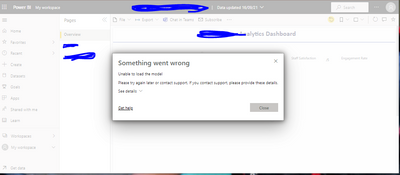
I have got a powerbi report which connects to Power platform dataverse default environment. All Admin users of the workspace can access the report and underlying model. When I share the power bi app with some users who have no access to the workspace, they cannot see the data and get the "Unable to load model" error. I have confirmed that all of these users have access to dataverse and underlying table of the dataverse.

kzaidi_0-1631745086076.png


3 REPLIES 3
v-yalanwu-msft
Community Support
Community Support

Hi, @Anonymous ;

Based on my test, I cannot reproduce your issue here.Do they configure the data source in service successfully?If their user name in Azure Active Directory (Azure AD) doesn't match a UPN in your local AS data model,they need to map users in their data source configuration.

Best Regards,
Community Support Team_ Yalan Wu
If this post helps, then please consider Accept it as the solution to help the other members find it more quickly.

Anonymous
Not applicable

user names maps well as we use Azure AD to add users. Theres some issue with underlying data model settings and I am not sure what is that.

Anonymous
Not applicable

@MattAllington ...Any thoughts on this issue please?

Helpful resources

Announcements
Fabric Data Days is here Carousel

Fabric Data Days 2026

Don't miss out on Data Days, June 15 through August 7. Learn Fabric, Power BI, SQL, AI and more.

May Power BI Update Carousel

Power BI Monthly Update - May 2026

Check out the May 2026 Power BI update to learn about new features.

Power BI DataViz World Championships carousel

Power BI DataViz World Championships - June 2026

A new Power BI DataViz World Championship is coming this June! Don't miss out on submitting your entry.