cancel
Showing results for 
Search instead for 
Did you mean: 

The Power BI Data Visualization World Championships is back! Get ahead of the game and start preparing now! Learn more

Reply
asword
Regular Visitor

Bing Maps export to PDF

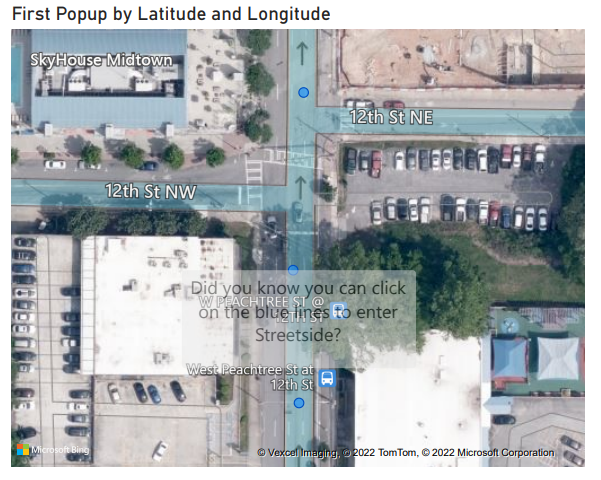
When exporting a dashboard to PDF which has a Bing maps visualization that's zoomed all the way in so that it shows the blue street level indicator, I get a watermark/message in the middle of the map that says "Did you know you can click the blue lines to enter Streetside". Is there a way that I can avoid having that show up?


BingMaps.png

5 REPLIES 5
v-luwang-msft
Community Support
Community Support

Hi @asword ,

Could you pls share your pbix file?

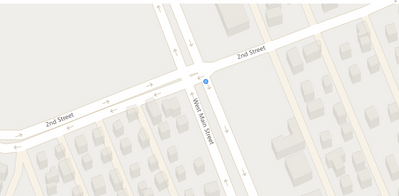
I am not in the United States and do not know the location of the address in the United States very well. Currently Bing's Street View only supports the US. The map I created is currently unable to display Street View.

vluwangmsft_0-1650252414722.png


Best Regards

Lucien

Thanks for the reply. I have a sample PBIX file that I can share, but I don't have a way to post it. My organization prevents me from sharing files with outside people using One Drive and there's no file upload option on the community pages. If there's a way I can get it to you just let me know.

Hi @asword ,

You could share through other public link.Remember to remove confidential data.


Best Regards

Lucien

Here's the link you can use to download the sample Power BI visualization: https://we.tl/t-23wtpfEcNG


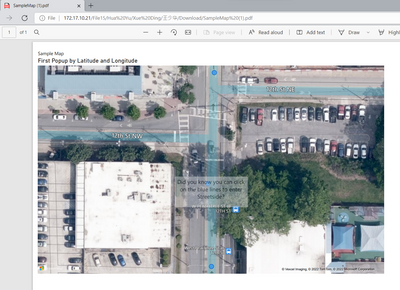
After a little more research it seems like the speed at which the export occurs may affect how the watermark gets displayed. For example, if it takes a while to export the visualization then the watermark will be less visible. If it exports quickly then the watermark will be more visible. 


I'll be interested to see your results. Thanks again for taking a look at this!

Hi @asword ,

In my test ,the same as you said.Also in my opinion, this may be related to the bing map, which I don't see above the Power BI Service to modify the configuration.

A luck test:

vluwangmsft_0-1650435202190.png

And other test:

vluwangmsft_1-1650435231682.png


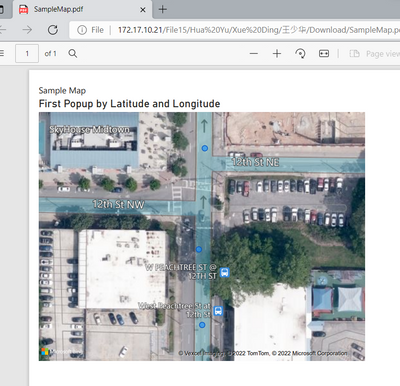
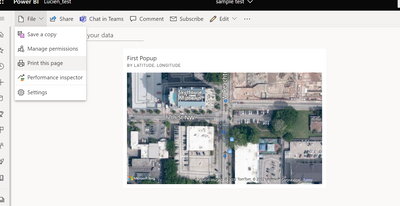
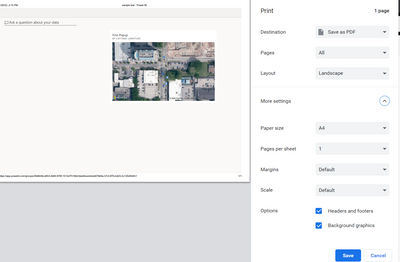
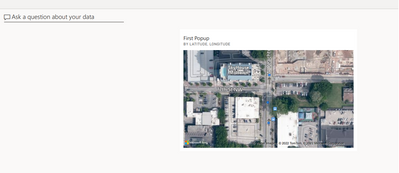
And you could test the below :(print the page)

vluwangmsft_2-1650435263585.png

vluwangmsft_3-1650435328943.png

vluwangmsft_4-1650435344608.png

With it is helpful for you!


Best Regards

Lucien


Helpful resources

Announcements
Power BI DataViz World Championships

Power BI Dataviz World Championships

The Power BI Data Visualization World Championships is back! Get ahead of the game and start preparing now!

December 2025 Power BI Update Carousel

Power BI Monthly Update - December 2025

Check out the December 2025 Power BI Holiday Recap!

FabCon Atlanta 2026 carousel

FabCon Atlanta 2026

Join us at FabCon Atlanta, March 16-20, for the ultimate Fabric, Power BI, AI and SQL community-led event. Save $200 with code FABCOMM.