Don't miss your chance to take the Fabric Data Engineer (DP-700) exam on us!
Learn moreThe FabCon + SQLCon recap series starts April 14th at 8am Pacific. If you’re tracking where AI is going inside Fabric, this first session is a can't miss. Register now
This feature is in Preview so no idea where we go for support: Getting started with the Azure Maps Power BI visual | Microsoft Docs
Sometime between yesterday and today, the TomTom integration for custom radius selection for Azure Maps in Power BI is no longer working on either Power BI Desktop or on Powerbi.com, at least for myself and several other Power BI Pro users. This is supposed to be a free (preview) feature included with the Azure Maps visual and was working yesterday morning US, but neither I nor other users testing can see the selection tools anymore. See screenshots below.
Should look / work like this and did until sometime July 13 2021 https://circyl.co.uk/power-bi-improvements-for-march-2021/
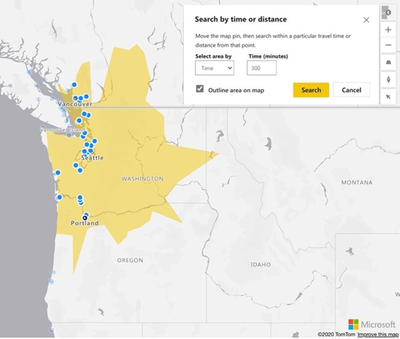
Azure Map Selection Visual Working
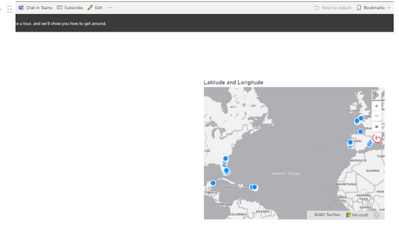
But instead having the control enabled on the Azure Map visual seems to be blocking the point plotting, even with a tiny dataset test from https://data.world/aewart/project-2-data/workspace/file?filename=stores.csv So not only do we no longer have the time or distance selection filtering functionality, we don't see map points either. If the selection control is disabled (default), then the map points display.
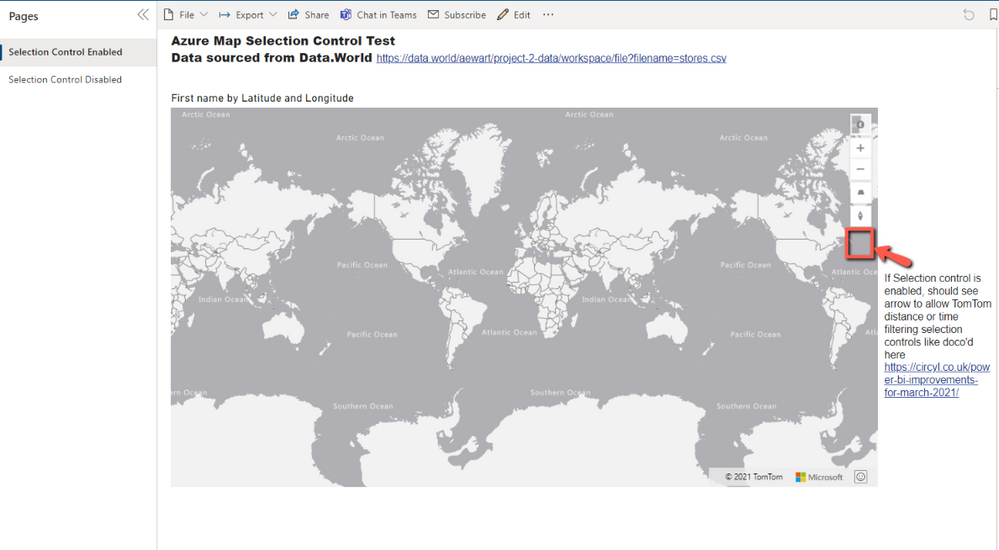
Azure Map Visual with Selection Enabled
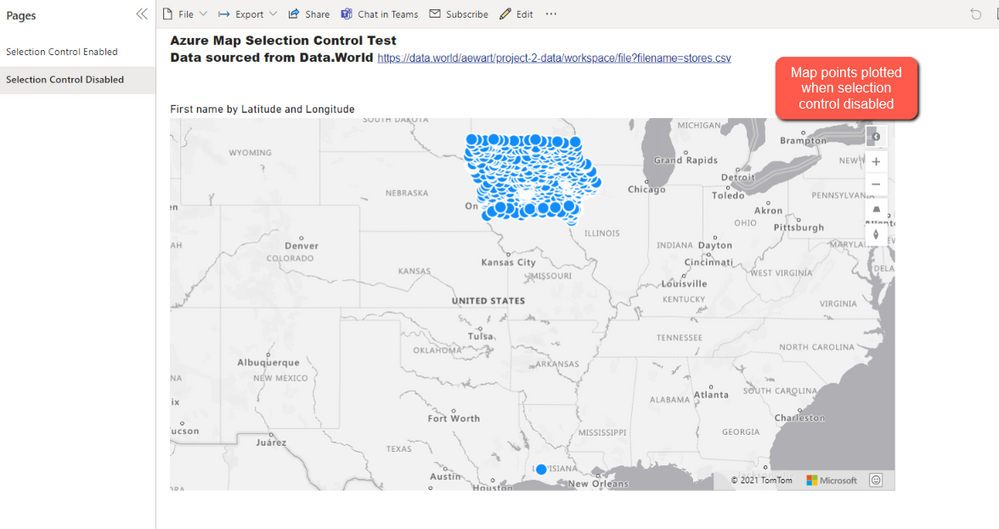
Azure Map Visual with Selection Disabled (default)
Solved! Go to Solution.
Update: this issue required a fix from the Azure Maps team, see Azure Maps Power BI Integration Not Working? - Microsoft Q&A
Thank you Henry but I think you're not testing the same scenario as I mentioned above. We had functioning Azure Maps published within workspaces, and they still work when the Map Selection control feature is disabled. However, the TomTom arrow no longer appears at the bottom (see screenshot and blog link above). It is the TomTom integration that seems to be at issue.
Hi @equerystrian ,
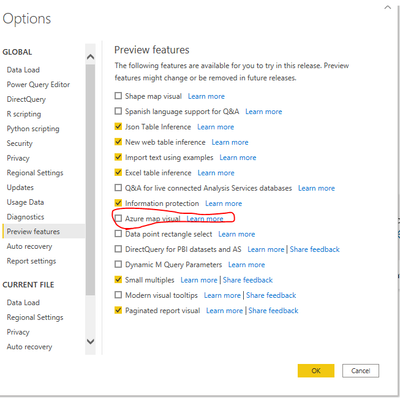
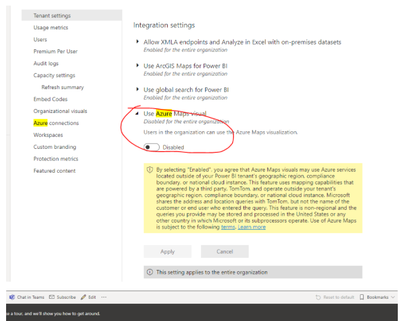
According to your description, the reason why some of your users have this error is because the azure map visual function in preview is turned off by default. You need to manually open it in the setting. After publishing to the service, it also needs to be turned on in the admin portal->tenant setting. I did a test, when it is turned on, azure map visual can be used normally.
I hope it will be helpful to you.
Best Regards,
Henry
If this post helps, then please consider Accept it as the solution to help the other members find it more quickly.
If you have recently started exploring Fabric, we'd love to hear how it's going. Your feedback can help with product improvements.
A new Power BI DataViz World Championship is coming this June! Don't miss out on submitting your entry.
Share feedback directly with Fabric product managers, participate in targeted research studies and influence the Fabric roadmap.