Join us at FabCon Atlanta from March 16 - 20, 2026, for the ultimate Fabric, Power BI, AI and SQL community-led event. Save $200 with code FABCOMM.
Register now!The Power BI Data Visualization World Championships is back! Get ahead of the game and start preparing now! Learn more
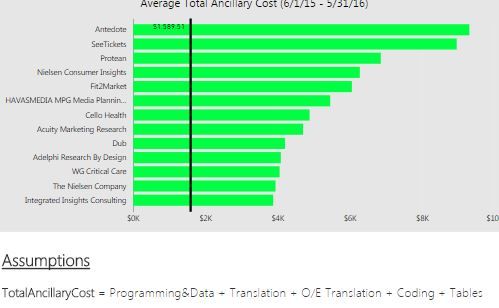
Is it possible to do this? For example, I want to add the definition of ancillary cost underneath the title:
Solved! Go to Solution.
@Rsanjuan You say "Tile" so I assume you are talking about tiles on the dashboard. You can click the "..." on the tile upper right corner and click the pencil icon to edit the tile. You can add your description in the subtitle.
If you are referring to a report visual, there is no subtitle, but you could remove the title from the visual and create a seperate text box to show the title/subtitle as you have it displayed.
@Rsanjuan You say "Tile" so I assume you are talking about tiles on the dashboard. You can click the "..." on the tile upper right corner and click the pencil icon to edit the tile. You can add your description in the subtitle.
If you are referring to a report visual, there is no subtitle, but you could remove the title from the visual and create a seperate text box to show the title/subtitle as you have it displayed.
Check out the November 2025 Power BI update to learn about new features.
Advance your Data & AI career with 50 days of live learning, contests, hands-on challenges, study groups & certifications and more!