We've captured the moments from FabCon & SQLCon that everyone is talking about, and we are bringing them to the community, live and on-demand. Starts on April 14th. Register now
Hi, I'm new to PowerBI so do excuse me if this is a dumb question.
I've noticed in previous versions of PowerBI that adding data or editing data is easy. Clicking the table icon and then doing what you need to do to the data.
For the life of me I cannot find how to do this in the new powerbi without having to create a new report, which is obviously far from ideal.
Can anyone advise how I can edit the data I entered to start my report? I want to add more columns, and maybe have the capability to change the data? For example, I might want to change a system name, or change a score number.
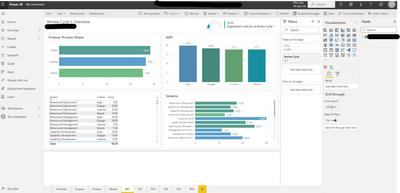
Below is what I see when editing my reports.
Thanks in advance
Solved! Go to Solution.
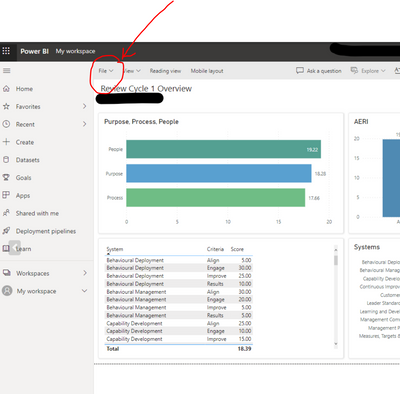
Click file ( refer picture) and click "Download this file".
Once downloaded, open that file, it should have extension .pbix. Then Power BI desktop will load.
Hi Alex,
Welcome to PowerBI! So you cannot edit data/transformation on Power BI service. You have to do that in Power BI Desktop. It is a program that you may have installed on your computer.
In Power BI desktop, you will have access to Power Query for transformation ( adding removing columns etc) and edit the relationships and data model.
In Power BI service (browser), you can only edit visuals.
Hope this helps!
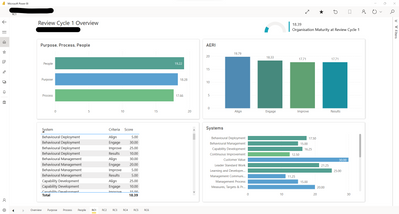
Yes I have the desktop app. But i'm still unsure how to do this. Cannot find power query either. Any help?
Click file ( refer picture) and click "Download this file".
Once downloaded, open that file, it should have extension .pbix. Then Power BI desktop will load.
Ahh, I thought I had Power BI Desktop but it was just the free app version - feel like an idiot but also feel like the multiple variations of Power BI are a bit confusing and misleading. None the less, I'm off and away. Thanks for your help!
you are not the only one!😅 all the best!
If you have recently started exploring Fabric, we'd love to hear how it's going. Your feedback can help with product improvements.
A new Power BI DataViz World Championship is coming this June! Don't miss out on submitting your entry.
Share feedback directly with Fabric product managers, participate in targeted research studies and influence the Fabric roadmap.