I get logs from Log Analytics, create graphs in Power BI and update regularly.
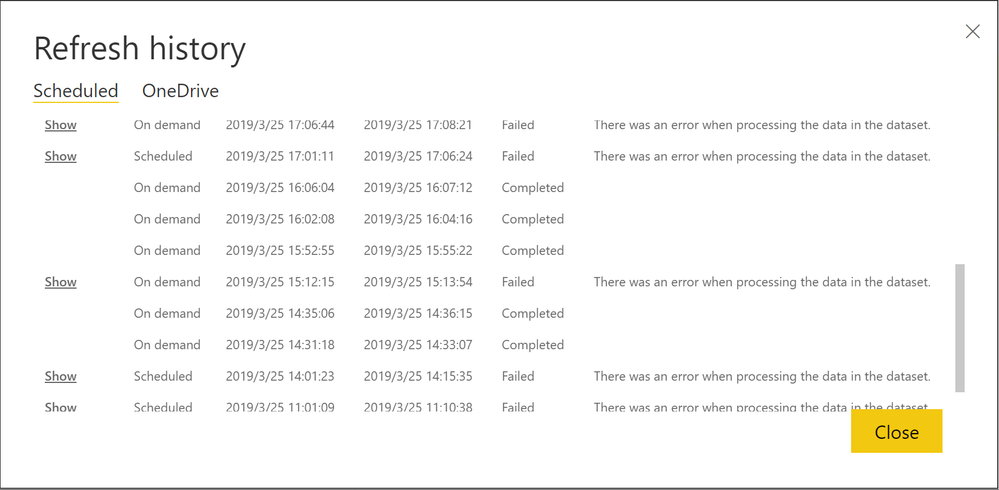
However, the refresh began to fail irregularly two weeks ago.
This phenomenon is happening in various reports I have. Is there anyone who knows the cause?
Message: | Web.Contents failed to get contents from 'https ://api.loganalytics.io/v1/workspaces/ .../query?query=OfficeActivity...' (502): Bad Gateway Table: LogAnalytics. |
M Query
let jp_timezone = (x as datetimezone) as datetimezone => DateTimeZone.SwitchZone(x, 9),
AnalyticsQuery =
let Source = Json.Document(Web.Contents("https://api.loganalytics.io/v1/workspaces/...../query",
[Query=[#"query"="OfficeActivity
| where ( OfficeWorkload == ""OneDrive"" or OfficeWorkload == ""SharePoint"")
",#"x-ms-app"="OmsAnalyticsPBI",#"prefer"="ai.response-thinning=true"],Timeout=#duration(0,0,10,0)])),
TypeMap = #table(
{ "AnalyticsTypes", "Type" },
{
{ "string",   Text.Type },
{ "int",      Int32.Type },
{ "long",     Int64.Type },
{ "real",     Double.Type },
{ "timespan", Duration.Type },
{ "datetime", DateTimeZone.Type },
{ "bool",     Logical.Type },
{ "guid",     Text.Type },
{ "dynamic",  Text.Type }
}),
DataTable = Source[tables]{0},
Columns = Table.FromRecords(DataTable[columns]),
ColumnsWithType = Table.Join(Columns, {"type"}, TypeMap , {"AnalyticsTypes"}),
Rows = Table.FromRows(DataTable[rows], Columns[name]),
Table = Table.TransformColumnTypes(Rows, Table.ToList(ColumnsWithType, (c) => { c{0}, c{3}}))
in
Table,.......


