cancel
Showing results for 
Search instead for 
Did you mean: 

The Power BI Data Visualization World Championships is back! Get ahead of the game and start preparing now! Learn more

Reply
Anonymous
Not applicable

undefined

I have created a report with four buttons. each button has one other report web URL as action. when I am sharing the report with someone in my organization they are able to access all four reports without having access. can you please help me to understand why this is happening and how can I overcome this?

1 ACCEPTED SOLUTION
v-luwang-msft
Community Support
Community Support

Hi @Anonymous ,

What link you used ?

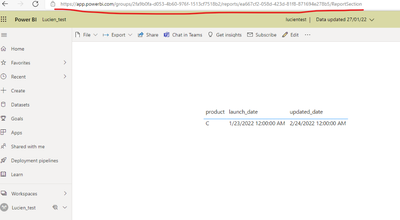
In my test:

1.use the link for report direct copy:

vluwangmsft_0-1645063612395.png


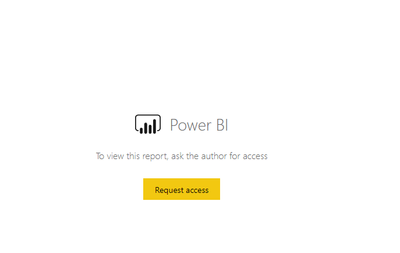
Then use another user with no permission to  view this report,return (still could not visit):

vluwangmsft_1-1645063676529.png


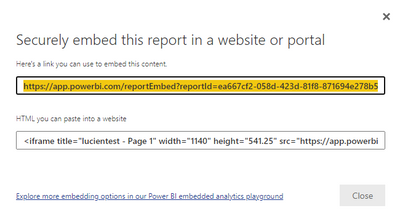
2.use the link ffrom the below:

vluwangmsft_2-1645063797727.pngvluwangmsft_3-1645063809395.png

it return:

vluwangmsft_4-1645063961505.png


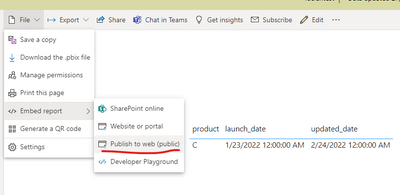
3.use the link ffrom the below:

vluwangmsft_5-1645064003315.png


And it will could view the report(refer link😞

vluwangmsft_6-1645064032842.png

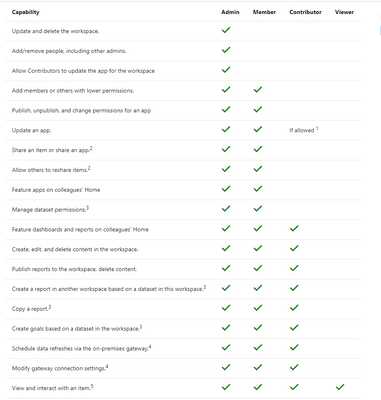
Check the link type you used,and check the permission and role in your workspace.

refer: https://docs.microsoft.com/en-us/power-bi/collaborate-share/service-roles-new-workspaces 

vluwangmsft_7-1645064129918.png


Did I answer your question? Mark my post as a solution!


Best Regards

Lucien

View solution in original post

1 REPLY 1
v-luwang-msft
Community Support
Community Support

Hi @Anonymous ,

What link you used ?

In my test:

1.use the link for report direct copy:

vluwangmsft_0-1645063612395.png


Then use another user with no permission to  view this report,return (still could not visit):

vluwangmsft_1-1645063676529.png


2.use the link ffrom the below:

vluwangmsft_2-1645063797727.pngvluwangmsft_3-1645063809395.png

it return:

vluwangmsft_4-1645063961505.png


3.use the link ffrom the below:

vluwangmsft_5-1645064003315.png


And it will could view the report(refer link😞

vluwangmsft_6-1645064032842.png

Check the link type you used,and check the permission and role in your workspace.

refer: https://docs.microsoft.com/en-us/power-bi/collaborate-share/service-roles-new-workspaces 

vluwangmsft_7-1645064129918.png


Did I answer your question? Mark my post as a solution!


Best Regards

Lucien

Helpful resources

Announcements
Power BI DataViz World Championships

Power BI Dataviz World Championships

The Power BI Data Visualization World Championships is back! Get ahead of the game and start preparing now!

December 2025 Power BI Update Carousel

Power BI Monthly Update - December 2025

Check out the December 2025 Power BI Holiday Recap!

FabCon Atlanta 2026 carousel

FabCon Atlanta 2026

Join us at FabCon Atlanta, March 16-20, for the ultimate Fabric, Power BI, AI and SQL community-led event. Save $200 with code FABCOMM.