Share feedback directly with Fabric product managers, participate in targeted research studies and influence the Fabric roadmap.
Sign up nowVote for your favorite vizzies from the Power BI Dataviz World Championship submissions. Vote now!
How to call external API from paginated report and get data read from output of that API
Solved! Go to Solution.
Hi @Kfabric ,
I have found a similar post, please refer to.
Solved: Paginated report - get data from API - Microsoft Fabric Community
You use Power BI Desktop to declare the data source connections. Then you publish that pbix to the service where it becomes a dataset. Then you can set up the scheduled refresh (if needed) and you can consume the dataset from the rdl.
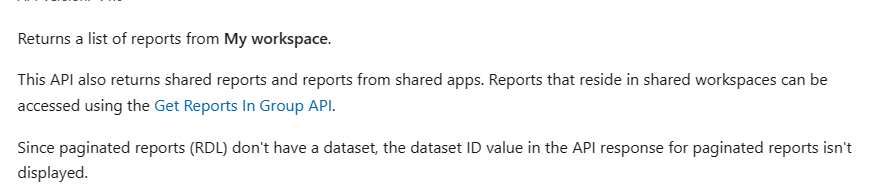
Reports - Get Reports - REST API (Power BI Power BI REST APIs) | Microsoft Learn
Interactive API calls from Power BI report | by Riccardo Perico | Rik in a Data Journey | Medium
How to Get Your Question Answered Quickly - Microsoft Fabric Community
If it does not help, please provide more details with your desired output.
Best Regards
Community Support Team _ Rongtie
If this post helps, then please consider Accept it as the solution to help the other members find it more quickly.
Hi @Kfabric ,
I have found a similar post, please refer to.
Solved: Paginated report - get data from API - Microsoft Fabric Community
You use Power BI Desktop to declare the data source connections. Then you publish that pbix to the service where it becomes a dataset. Then you can set up the scheduled refresh (if needed) and you can consume the dataset from the rdl.
Reports - Get Reports - REST API (Power BI Power BI REST APIs) | Microsoft Learn
Interactive API calls from Power BI report | by Riccardo Perico | Rik in a Data Journey | Medium
How to Get Your Question Answered Quickly - Microsoft Fabric Community
If it does not help, please provide more details with your desired output.
Best Regards
Community Support Team _ Rongtie
If this post helps, then please consider Accept it as the solution to help the other members find it more quickly.
If you love stickers, then you will definitely want to check out our Community Sticker Challenge!
Check out the January 2026 Power BI update to learn about new features.
| User | Count |
|---|---|
| 3 | |
| 2 | |
| 1 | |
| 1 | |
| 1 |
| User | Count |
|---|---|
| 6 | |
| 4 | |
| 4 | |
| 3 | |
| 3 |