cancel
Showing results for 
Search instead for 
Did you mean: 

We've captured the moments from FabCon & SQLCon that everyone is talking about, and we are bringing them to the community, live and on-demand. Starts on April 14th. Register now

Reply
Anonymous
Not applicable

URL Link Color

Hello,


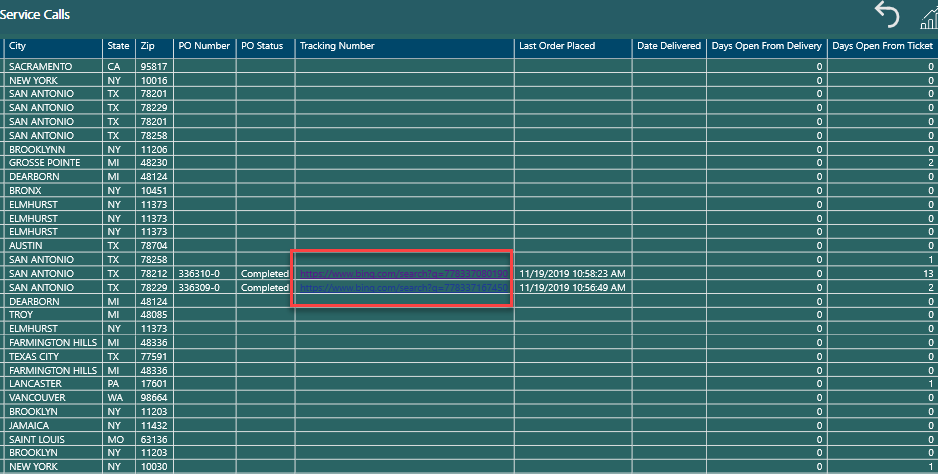
I am trying to change the font color of the URL link, I have tried updating it via the Field Formatting options but it will not change to anything but Blue.  I can change the background but not the Font.  Any suggestions?

2019-12-18_8-13-00.png

 
5 REPLIES 5
Optpath
Frequent Visitor

Hey Guys,

A workaround that I've used:

  1. Format the data to an image url.
  2. Turn URL icon values to 'on'.
  3. Go to cell elements and turn web url to 'on'.
  4. Change the image size to 10px by 10px

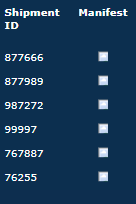
The result is that you get a small white box that serves as your url icon. While still sub optimal, at least it's better than the paperclip no one can see. Looks 10x better as well.

Screenshot 2024-04-03 160922.png

Anonymous
Not applicable

Any updates on this? Thanks! 

KBO
Memorable Member
Memorable Member

Hi @Anonymous ,

also don't forgot to vote on this idea. That would make things easier 🙂

https://ideas.powerbi.com/ideas/idea/?ideaid=55f15bc0-cf02-42e4-a71c-036c1285bf3c


Best,

Kathrin


If this post has helped you, please give it a thumbs up!
Did I answer your question? Mark my post as a solution!

MH1
Frequent Visitor

I used following trick to get url to dark theme. 

https://www.youtube.com/watch?v=Wz2aD0XvkUk

v-qiuyu-msft
Community Support
Community Support

Hi @Anonymous, 


Based on my research, we are not able to specify the font color for URLs currently. For your requirement, please submit a idea here: https://ideas.powerbi.com/forums/265200-power-bi-ideas


Best Regards,
Qiuyun Yu

Community Support Team _ Qiuyun Yu
If this post helps, then please consider Accept it as the solution to help the other members find it more quickly.

Helpful resources

Announcements
New to Fabric survey Carousel

New to Fabric Survey

If you have recently started exploring Fabric, we'd love to hear how it's going. Your feedback can help with product improvements.

Power BI DataViz World Championships carousel

Power BI DataViz World Championships - June 2026

A new Power BI DataViz World Championship is coming this June! Don't miss out on submitting your entry.

Join our Fabric User Panel

Join our Fabric User Panel

Share feedback directly with Fabric product managers, participate in targeted research studies and influence the Fabric roadmap.

March Power BI Update Carousel

Power BI Community Update - March 2026

Check out the March 2026 Power BI update to learn about new features.