This is best Fabric, Power BI, SQL and AI community event. How do we know? The last event sold out! Save €200 with code FABCMTY200.
Register nowA new Data Days event is coming soon! This time we’re going bigger than ever. Fabric, Power BI, SQL, AI and more. Don't miss out.
Hi,
I am having trouble getting data to refresh with a SQL Server Connection on Power BI Report Server.
I am using the Native Database query to import data to my report, and save it to the server. In the report portal – data sources tab, the “Test connection” is successful. Hit refresh and no data change. I keep getting this error in log file:
2018-01-17 08:57:26.5616|ERROR|23|FailedToDecryptConfigInformation: Dsn| RequestID = s_796642e7-a8fc-4d8d-820b-1967b2fe8212
Please help.
Regards
Hi @wzhang,
When you click refresh button in the report, is there any error throws out? Please open the report in Power BI desktop then refresh data to see if you can see updated data. Also please try to run the latest Power BI report server version.
Best Regards,
Qiuyun Yu
Hi Qiuyun,
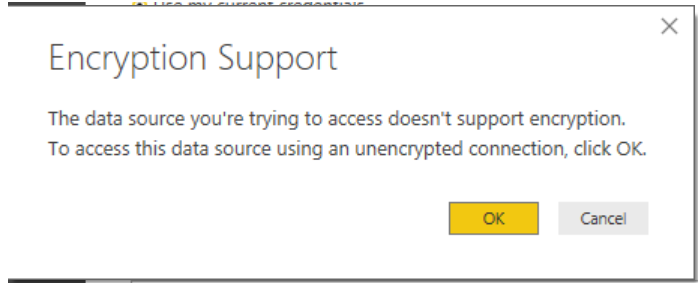
I am able to update data in the powerBI desktop if I click "OK" on the following message, but can't do it from the reprot server.
Hi,
Has anyone known how to fix this issue?
Wen
Check out the May 2026 Power BI update to learn about new features.
Sign up to receive a private message when registration opens and key events begin.
If you have recently started exploring Fabric, we'd love to hear how it's going. Your feedback can help with product improvements.