Get certified for free when you join Fabric Data Days 2026 and dive into Fabric, Power BI, SQL, AI, and other essential data skills.
Join nowJuly 28 -August 9 | Final Round of the Power BI Dataviz World Championships. This is your chance. Learn more
Hi,
I am having trouble getting data to refresh with a SQL Server Connection on Power BI Report Server.
I am using the Native Database query to import data to my report, and save it to the server. In the report portal – data sources tab, the “Test connection” is successful. Hit refresh and no data change. I keep getting this error in log file:
2018-01-17 08:57:26.5616|ERROR|23|FailedToDecryptConfigInformation: Dsn| RequestID = s_796642e7-a8fc-4d8d-820b-1967b2fe8212
Please help.
Regards
Hi @wzhang,
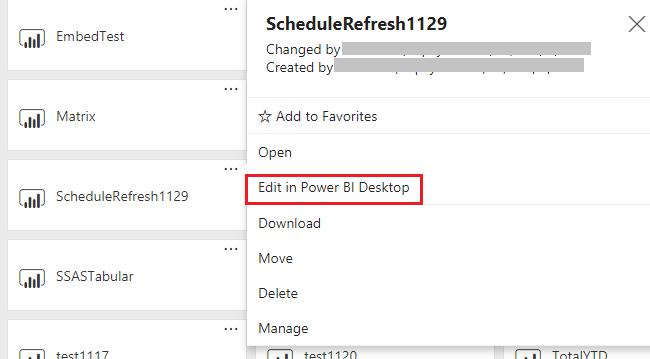
When you click refresh button in the report, is there any error throws out? Please open the report in Power BI desktop then refresh data to see if you can see updated data. Also please try to run the latest Power BI report server version.
Best Regards,
Qiuyun Yu
Hi Qiuyun,
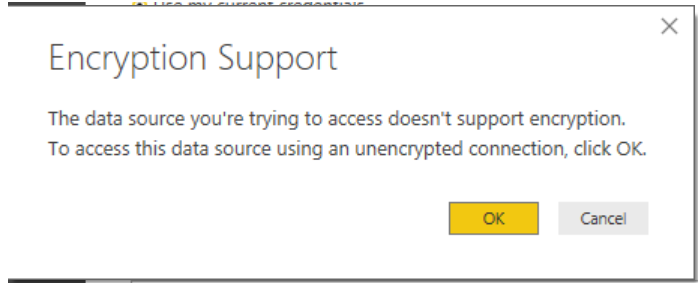
I am able to update data in the powerBI desktop if I click "OK" on the following message, but can't do it from the reprot server.
Hi,
Has anyone known how to fix this issue?
Wen
Join us in Barcelona for FabCon and SQLCon, the Fabric, Power BI, SQL, and AI community event. Save €200 with code FABCMTY200.
If you love stickers, then you will definitely want to check out our community sticker challenge, Barcelona edition!
Check out the July 2026 Power BI update to learn about new features.
| User | Count |
|---|---|
| 4 | |
| 2 | |
| 2 | |
| 1 | |
| 1 |
| User | Count |
|---|---|
| 5 | |
| 3 | |
| 3 | |
| 2 | |
| 2 |