cancel
Showing results for 
Search instead for 
Did you mean: 

We've captured the moments from FabCon & SQLCon that everyone is talking about, and we are bringing them to the community, live and on-demand. Starts on April 14th. Register now

Reply
stuartholms
New Member

Report Manager Expression-based Connection Strings Missing

I'm using an expression for a report connection string but when I upload the report to the report manager (2017 June) and save the credentials in the data source setting the text box that contains the expression gets cleared out.


The same report works fine in SSRS 2014.


I've tried using IE, Chrome and Edge and get the same behaviour.


3 REPLIES 3
v-qiuyu-msft
Community Support
Community Support

Hi @stuartholms,


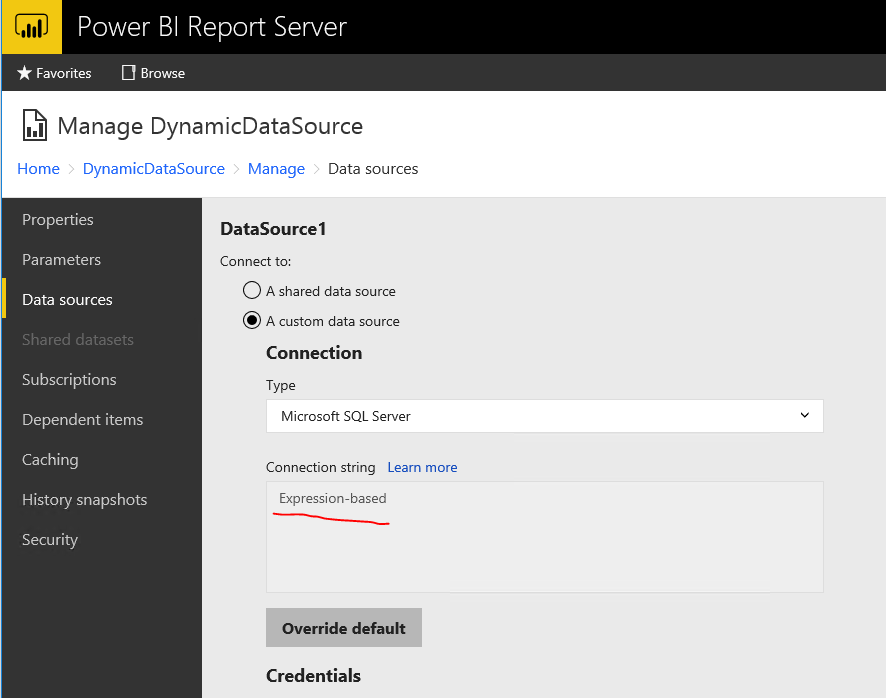
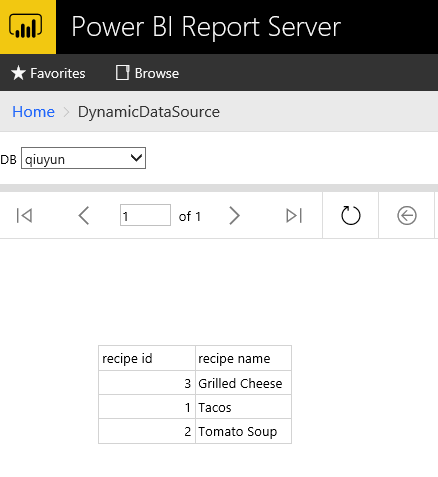
Based on my test in Power BI report server August Preview version, the expression based data source connection string is not missing after save the report to report server: 


q5.PNG


q6.PNG


Please try to update the Power BI report server to the same version as ours then test again.


Best Regards,
Qiuyun Yu 

Community Support Team _ Qiuyun Yu
If this post helps, then please consider Accept it as the solution to help the other members find it more quickly.

Hey, The issue isn't related to saving.  It's when you change the credentials and add a username and password then the connection string text box gets cleared out.  I've found that you then need to go back and click the restore default button and then save to be able to use an expression-based connection string.


Also, I have updated to the August preview release and the behaviour is still the same.

Hi @stuartholms,


I can reproduce the issue. And I already sent a email to consult this issue from PG team internally. Will update here once I get any information. 


Best Regards,
Qiuyun Yu 

Community Support Team _ Qiuyun Yu
If this post helps, then please consider Accept it as the solution to help the other members find it more quickly.

Helpful resources

Announcements
New to Fabric survey Carousel

New to Fabric Survey

If you have recently started exploring Fabric, we'd love to hear how it's going. Your feedback can help with product improvements.

Power BI DataViz World Championships carousel

Power BI DataViz World Championships - June 2026

A new Power BI DataViz World Championship is coming this June! Don't miss out on submitting your entry.

Join our Fabric User Panel

Join our Fabric User Panel

Share feedback directly with Fabric product managers, participate in targeted research studies and influence the Fabric roadmap.

March Power BI Update Carousel

Power BI Community Update - March 2026

Check out the March 2026 Power BI update to learn about new features.