Don't miss your chance to take the Fabric Data Engineer (DP-600) exam for FREE! Find out how by attending the DP-600 session on April 23rd (pacific time), live or on-demand.
Learn moreNext up in the FabCon + SQLCon recap series: The roadmap for Microsoft SQL and Maximizing Developer experiences in Fabric. All sessions are available on-demand after the live show. Register now
docs.microsoft.com/en-us/learn/modules/data-driven-story-power-bi/13-lab
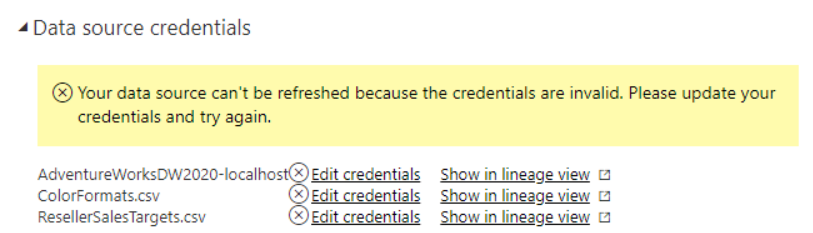
I'm trying to do this tutortial but when I upload the dataset as guided, the data won't show up. After detailed investigation, I found that the dataset can't be displayed because of the error displayed in the figure below. Please help me !
Hi @nghiabeooo ,
looka like what you need is a gateway ;).
Your data is stored on your PC and If you use Direct Query in youre Adv. Works you must connect it first otherwise yoou can't see any data :). If you change the connection to import for your SQL Server it would show you the data without a gateway bacause tha data would be in your pbix model :).
Best,
Kathrin
If this post has helped you, please give it a thumbs up!
Did I answer your question? Mark my post as a solution!
If you have recently started exploring Fabric, we'd love to hear how it's going. Your feedback can help with product improvements.
A new Power BI DataViz World Championship is coming this June! Don't miss out on submitting your entry.
Experience the highlights from FabCon & SQLCon, available live and on-demand starting April 14th.
| User | Count |
|---|---|
| 3 | |
| 2 | |
| 2 | |
| 2 | |
| 1 |