Join us at FabCon Atlanta from March 16 - 20, 2026, for the ultimate Fabric, Power BI, AI and SQL community-led event. Save $200 with code FABCOMM.
Register now!The Power BI Data Visualization World Championships is back! Get ahead of the game and start preparing now! Learn more
Hi,
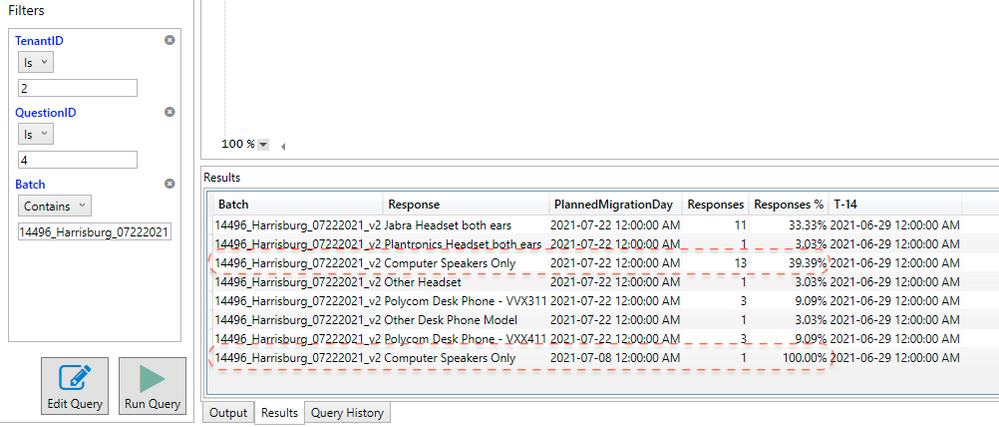
I had to introduce the field [PlannedMigrationDay] in my query for the paginated report for the sole purpose of filtering the paginated report.
This is the query:
/* START QUERY BUILDER */
EVALUATE
SUMMARIZECOLUMNS(
UserResponse[Batch],
UserResponse[Response],
UserResponse[PlannedMigrationDay],
KEEPFILTERS( TREATAS( {"2"}, UserResponse[TenantID] )),
KEEPFILTERS( TREATAS( {"4"}, UserResponse[QuestionID] )),
"Responses", [Responses],
"Responses %", [Responses %],
"T-14", [T-14]
)
/* END QUERY BUILDER */
Now I have one problem: when I have two different migration dates, my results are summarized by the date of migration whereas before they were aggregated by distinct values.
I don't want my results to be aggregated by [PlannedMigrationDay]. How can I modify the query to avoid that, but still have that field in the dataset of my paginated report?
Thanks in advance for the help!
~Alienvolm
Solved! Go to Solution.
Hi @Anonymous ,
You don't want your value to be summarized by PlannedMigrationDay column , by you still want to show it in the output table, am I right?
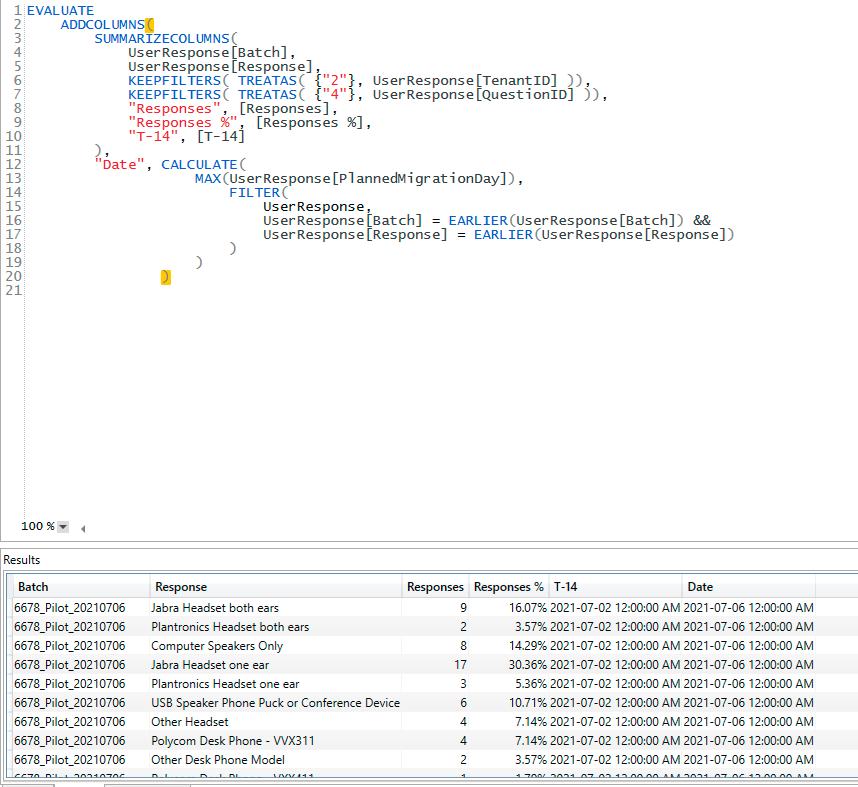
You need also a aggregation function to your PlannedMigrationDay column like max or min, please try :
EVALUATE
ADDCOLUMNS(SUMMARIZECOLUMNS(
UserResponse[Batch],
UserResponse[Response],
KEEPFILTERS( TREATAS( {"2"}, UserResponse[TenantID] )),
KEEPFILTERS( TREATAS( {"4"}, UserResponse[QuestionID] )),
"Responses", [Responses],
"Responses %", [Responses %],
"T-14", [T-14]
),"Date",CALCULATE(MAX(UserResponse[PlannedMigrationDay]),FILTER(UserResponse,UserResponse[Batch] = EARLIER(UserResponse[Batch])&&UserResponse[Response] = EARLIER(UserResponse[Response])))
If this post helps, then please consider Accept it as the solution to help the other members find it more quickly.
Best Regards,
Dedmon Dai
@Anonymous
Use SELECTCOLUMNS table function to get only the columns that you need.
https://dax.guide/selectcolumns/
⭕ Subscribe and learn Power BI from these videos
⚪ Website ⚪ LinkedIn ⚪ PBI User Group
Hi @Fowmy,
I can't figure outr for the life of me how to make SELECTCOLUMNS work together with SUMMARIZECOLUMNS. I tried all combinations and the query just doesn't work.
With SELECTCOLUMNS only it works, but I see the single rows of the table, which is not what I need. I need all the fields summarized but not by UserResponse[PlannedMigrationDay].
I'm not an expert with DAX Queries, so any additional help would be really appreciated!
~Alienvolm
Hi @Anonymous ,
You don't want your value to be summarized by PlannedMigrationDay column , by you still want to show it in the output table, am I right?
You need also a aggregation function to your PlannedMigrationDay column like max or min, please try :
EVALUATE
ADDCOLUMNS(SUMMARIZECOLUMNS(
UserResponse[Batch],
UserResponse[Response],
KEEPFILTERS( TREATAS( {"2"}, UserResponse[TenantID] )),
KEEPFILTERS( TREATAS( {"4"}, UserResponse[QuestionID] )),
"Responses", [Responses],
"Responses %", [Responses %],
"T-14", [T-14]
),"Date",CALCULATE(MAX(UserResponse[PlannedMigrationDay]),FILTER(UserResponse,UserResponse[Batch] = EARLIER(UserResponse[Batch])&&UserResponse[Response] = EARLIER(UserResponse[Response])))
If this post helps, then please consider Accept it as the solution to help the other members find it more quickly.
Best Regards,
Dedmon Dai
Check out the November 2025 Power BI update to learn about new features.
Advance your Data & AI career with 50 days of live learning, contests, hands-on challenges, study groups & certifications and more!
| User | Count |
|---|---|
| 7 | |
| 2 | |
| 2 | |
| 2 | |
| 2 |