cancel
Showing results for 
Search instead for 
Did you mean: 

The FabCon + SQLCon recap series starts April 14th at 8am Pacific. If you’re tracking where AI is going inside Fabric, this first session is a can't miss. Register now

Reply
Anonymous
Not applicable

Error - Sharepoint Datasource scheduled refresh

Hello everyone,


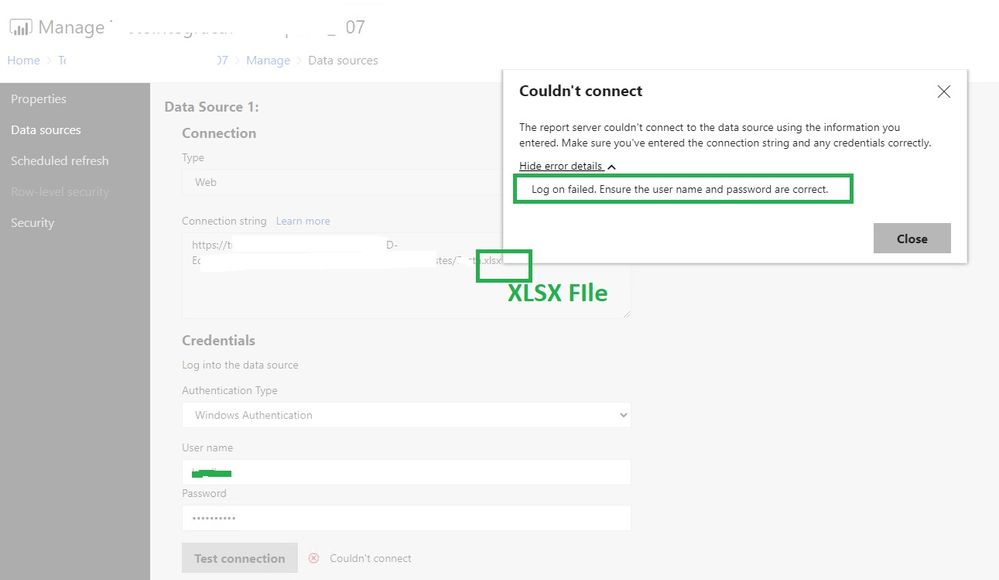
I have a report that connects to Sharepoint, users can access the network normally, but when I go to Manage > Data Sources and place my network credentials to make the automatic scheduling, the following error is generated.


Error1.jpg


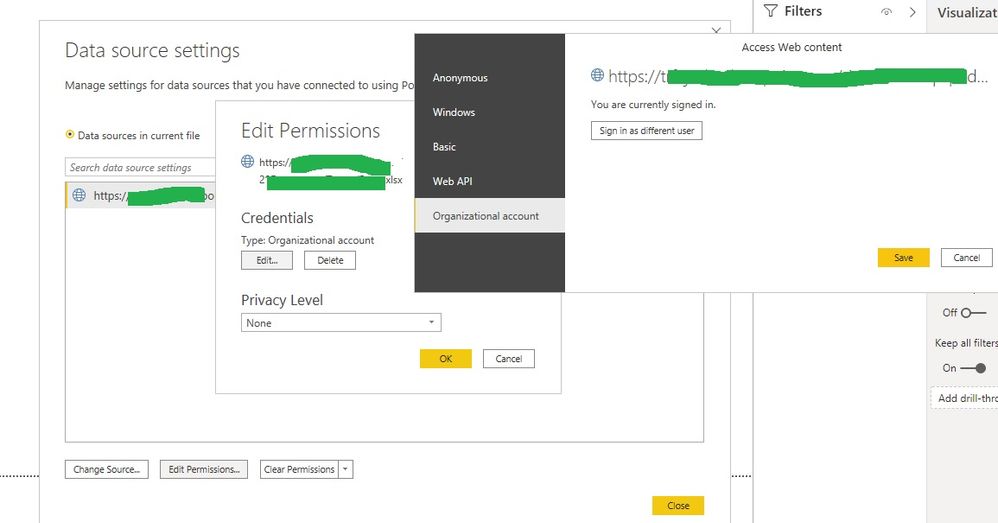
I configured the connection credentials as follows:


Error2.jpg


Through Power BI Desktop and the on-premises report server I can refresh normally.


I already tried to change the way of connecting in all the ways that is shown in the step of editing the credentials, but without success.


My Sharepoint and the power bi report server are on-premise


Can anyone help?


tks,

Keny

1 REPLY 1
Icey
Community Support
Community Support

Hi @Anonymous ,


1. Have you tried entering the username in the form of <domain>\<username> ?


2. Try to use the same Authentication Type ( Windows Authentication ) both on Power BI Desktop (Optimized for Power BI Report Server) and Power BI Report Server.


3. Try to use SharePoint List connector like so:


saj 


Helper II


Hi, yes @Harish12137 


We are currently Sharepoint 2013 and by default Power BI assumes a higher level so you cannot directly connect to a file using the UI. That said it is easy to sort out.


Make sure you can see the 'Formula Bar'

I connect to a SP List then edit the first step.

eg initial step

=SharePoint.Tables("http://sp.site.com/MySite", [ApiVersion = 15])


Change Tables to Files and reduce the ApiVersion to 14. 

= SharePoint.Files("http://sp.site.com/MySite", [ApiVersion = 14])


Reference: Power BI on premise - connect to on premise Sharepoint folder - Access to the resource is forbidden.


Best regards

Icey


If this post helps, then consider Accepting it as the solution to help other members find it faster.

Helpful resources

Announcements
New to Fabric survey Carousel

New to Fabric Survey

If you have recently started exploring Fabric, we'd love to hear how it's going. Your feedback can help with product improvements.

Power BI DataViz World Championships carousel

Power BI DataViz World Championships - June 2026

A new Power BI DataViz World Championship is coming this June! Don't miss out on submitting your entry.

Join our Fabric User Panel

Join our Fabric User Panel

Share feedback directly with Fabric product managers, participate in targeted research studies and influence the Fabric roadmap.

March Power BI Update Carousel

Power BI Community Update - March 2026

Check out the March 2026 Power BI update to learn about new features.