This time we’re going bigger than ever. Fabric, Power BI, SQL, AI and more. We're covering it all. You won't want to miss it.
Learn moreDid you hear? There's a new SQL AI Developer certification (DP-800). Start preparing now and be one of the first to get certified. Register now
Hi there
I have a dashboard which uses live connection to ssas 2012.
I have one custom visual on this dashboard which is Infographic.
My authoring tool is Powerbi June update (SSRS one)
Anyone has experience this error message when opening your report on Reporting server?
It looks like a javacript window error thing saying Debug Asset failed: objectDescriptors
When I click OK it let me continue but I think its annoying having to clicking it to get rid of it.
Many thanks
Pedzilla
Solved! Go to Solution.
Ive found that the bug was caused by custom visual Image Viewer. I have removed it and that error message disappeared.
Which custom visual are you using? I'll try to reproduce the issue and let you know if it's by design or if something else is going on.
Its InfoGraphic custom visual
Thank you
Hi @Anonymous,
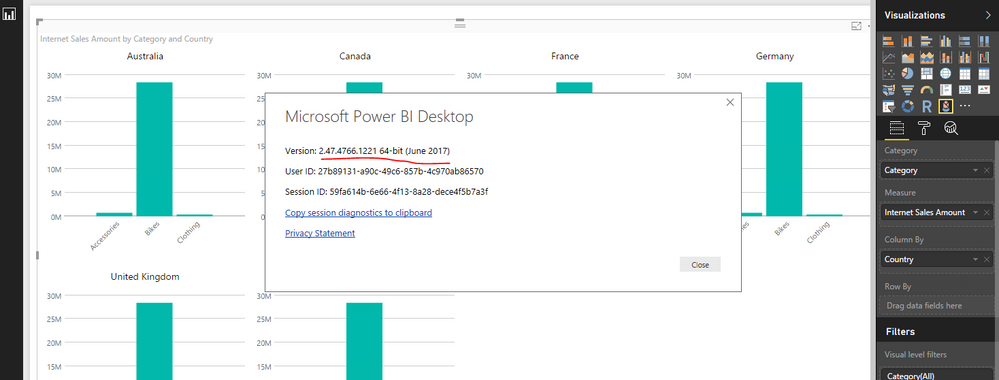
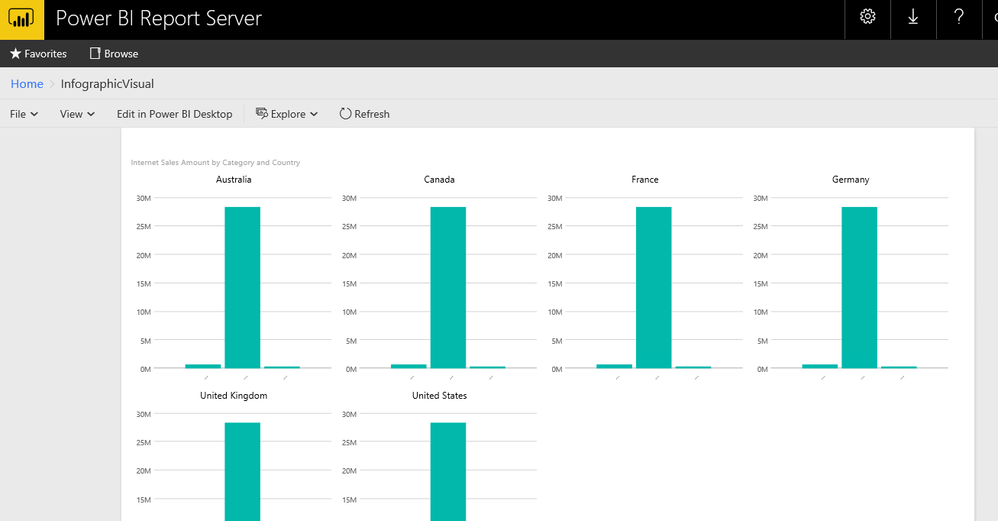
Based on my test, the Infographic Designer custom visual version 1.5.4001.0 created on Power BI desktop for report server version 2.47.4766.1221 64-bit (June 2017) displays fine in Power BI report server 14.0.600.301. Please try to update your both Power BI report server and desktop to latest version from this site.
Best Regards,
Qiuyun Yu
Ive found that the bug was caused by custom visual Image Viewer. I have removed it and that error message disappeared.
Check out the April 2026 Power BI update to learn about new features.
If you have recently started exploring Fabric, we'd love to hear how it's going. Your feedback can help with product improvements.
| User | Count |
|---|---|
| 4 | |
| 3 | |
| 2 | |
| 2 | |
| 2 |
| User | Count |
|---|---|
| 5 | |
| 3 | |
| 3 | |
| 3 | |
| 3 |