Get certified for free when you join Fabric Data Days 2026 and dive into Fabric, Power BI, SQL, AI, and other essential data skills.
Join nowJuly 28 - August 9 | Final Round of the Power BI Dataviz World Championships. This is your chance. Learn more
Hi there
I have a dashboard which uses live connection to ssas 2012.
I have one custom visual on this dashboard which is Infographic.
My authoring tool is Powerbi June update (SSRS one)
Anyone has experience this error message when opening your report on Reporting server?
It looks like a javacript window error thing saying Debug Asset failed: objectDescriptors
When I click OK it let me continue but I think its annoying having to clicking it to get rid of it.
Many thanks
Pedzilla
Solved! Go to Solution.
Ive found that the bug was caused by custom visual Image Viewer. I have removed it and that error message disappeared.
Which custom visual are you using? I'll try to reproduce the issue and let you know if it's by design or if something else is going on.
Its InfoGraphic custom visual
Thank you
Hi @Anonymous,
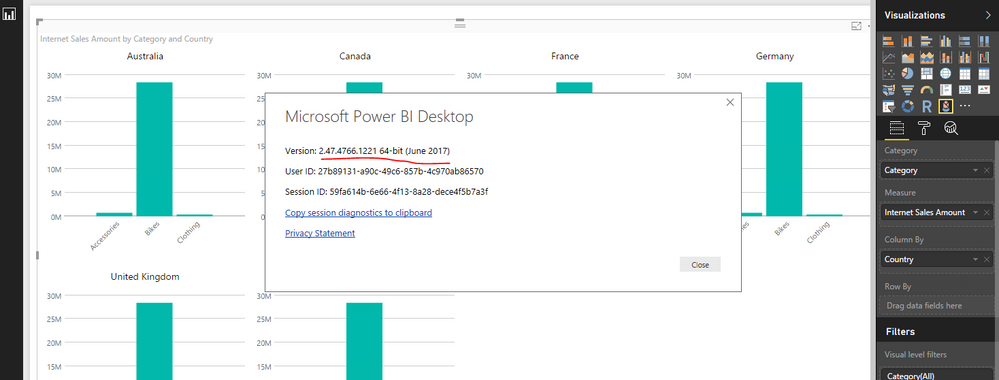
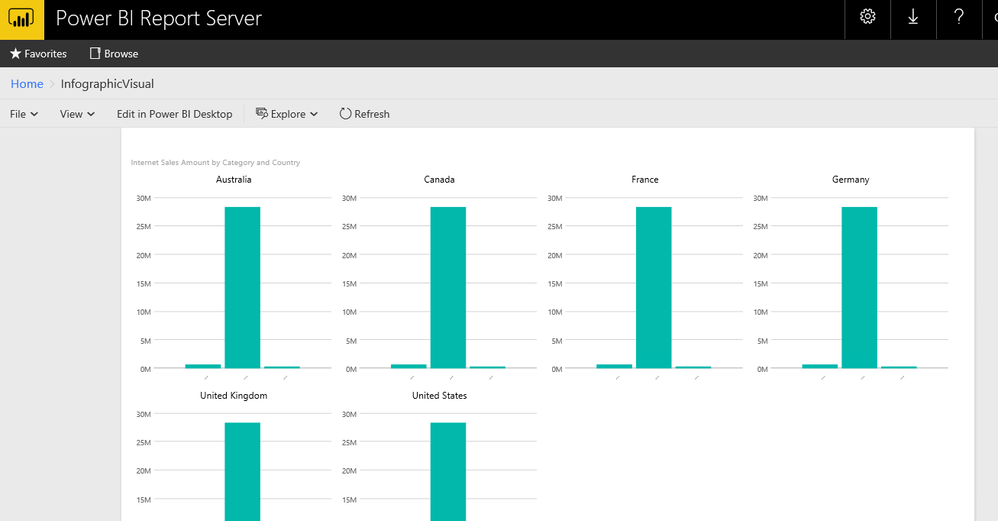
Based on my test, the Infographic Designer custom visual version 1.5.4001.0 created on Power BI desktop for report server version 2.47.4766.1221 64-bit (June 2017) displays fine in Power BI report server 14.0.600.301. Please try to update your both Power BI report server and desktop to latest version from this site.
Best Regards,
Qiuyun Yu
Ive found that the bug was caused by custom visual Image Viewer. I have removed it and that error message disappeared.
If you love stickers, then you will definitely want to check out our community sticker challenge, Barcelona edition!
Check out the July 2026 Power BI update to learn about new features.
| User | Count |
|---|---|
| 4 | |
| 2 | |
| 1 | |
| 1 | |
| 1 |