cancel
Showing results for 
Search instead for 
Did you mean: 

The Power BI Data Visualization World Championships is back! Get ahead of the game and start preparing now! Learn more

Reply
Anonymous
Not applicable

Data Source Connection Properties, Azure SQL question

I have a paginated report that gets data from an Azure SQL Server.

In the SQL code in the Dataset, one column is CURRENT_USER that gets me the AD user email address when running the SQL code outside the report.


When uploading the report to a Power BI Workspace the CURRENT_USER column is empty.


How do I configure the data source in Power BI report builder without adding user/PW in the data source and use 'ActiveDirectoryIntegrated'. Tried a lot of settings but don't get it to work.


Either I have to add a user in the data source or it dont work in the report.

Used 'ActiveDirectoryIntegrated' in Advanced properties.


Thanks.


1 REPLY 1
v-deddai1-msft
Community Support
Community Support

Hi @Anonymous ,


Your issue is more related to azure sql db. I would also suggest you open a thread in azure sql db forum. 


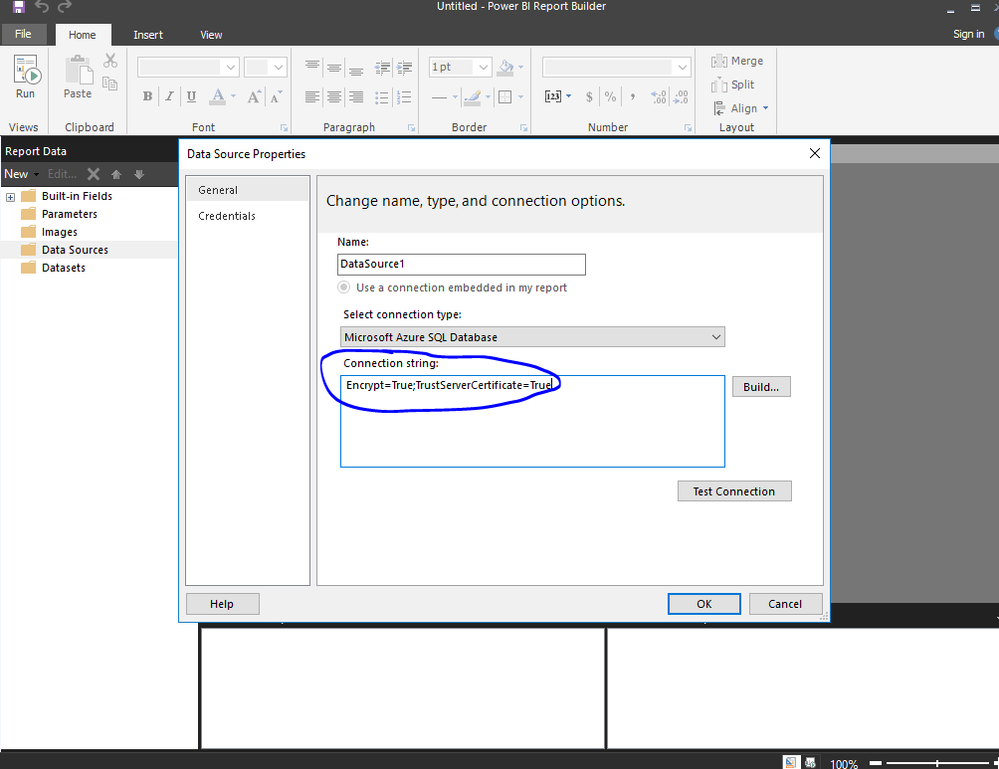
As far as I know, you can use ActiveDirectoryIntegrated in connection string :

Untitled picture.png


Use connection string like below:

string ConnectionString = @"Data Source=n9lxnyuzhv.database.windows.net; Authentication=Active Directory Integrated; Initial Catalog=testdb;";
SqlConnection conn = new SqlConnection(ConnectionString);
conn.Open();


For more details, please refer to https://stackoverflow.com/questions/49771761/azure-sql-database-active-directory-integrated-authentication


If this post helps, then please consider Accept it as the solution to help the other members find it more quickly.


Best Regards,

Dedmon Dai


Helpful resources

Announcements
Power BI DataViz World Championships

Power BI Dataviz World Championships

The Power BI Data Visualization World Championships is back! Get ahead of the game and start preparing now!

November Power BI Update Carousel

Power BI Monthly Update - November 2025

Check out the November 2025 Power BI update to learn about new features.

FabCon Atlanta 2026 carousel

FabCon Atlanta 2026

Join us at FabCon Atlanta, March 16-20, for the ultimate Fabric, Power BI, AI and SQL community-led event. Save $200 with code FABCOMM.