cancel
Showing results for 
Search instead for 
Did you mean: 

July 28 - August 9 | Final Round of the Power BI Dataviz World Championships. This is your chance. Learn more

Reply
Anonymous
Not applicable

Data Source Connection Properties, Azure SQL question

I have a paginated report that gets data from an Azure SQL Server.

In the SQL code in the Dataset, one column is CURRENT_USER that gets me the AD user email address when running the SQL code outside the report.


When uploading the report to a Power BI Workspace the CURRENT_USER column is empty.


How do I configure the data source in Power BI report builder without adding user/PW in the data source and use 'ActiveDirectoryIntegrated'. Tried a lot of settings but don't get it to work.


Either I have to add a user in the data source or it dont work in the report.

Used 'ActiveDirectoryIntegrated' in Advanced properties.


Thanks.


1 REPLY 1
v-deddai1-msft
Community Support
Community Support

Hi @Anonymous ,


Your issue is more related to azure sql db. I would also suggest you open a thread in azure sql db forum. 


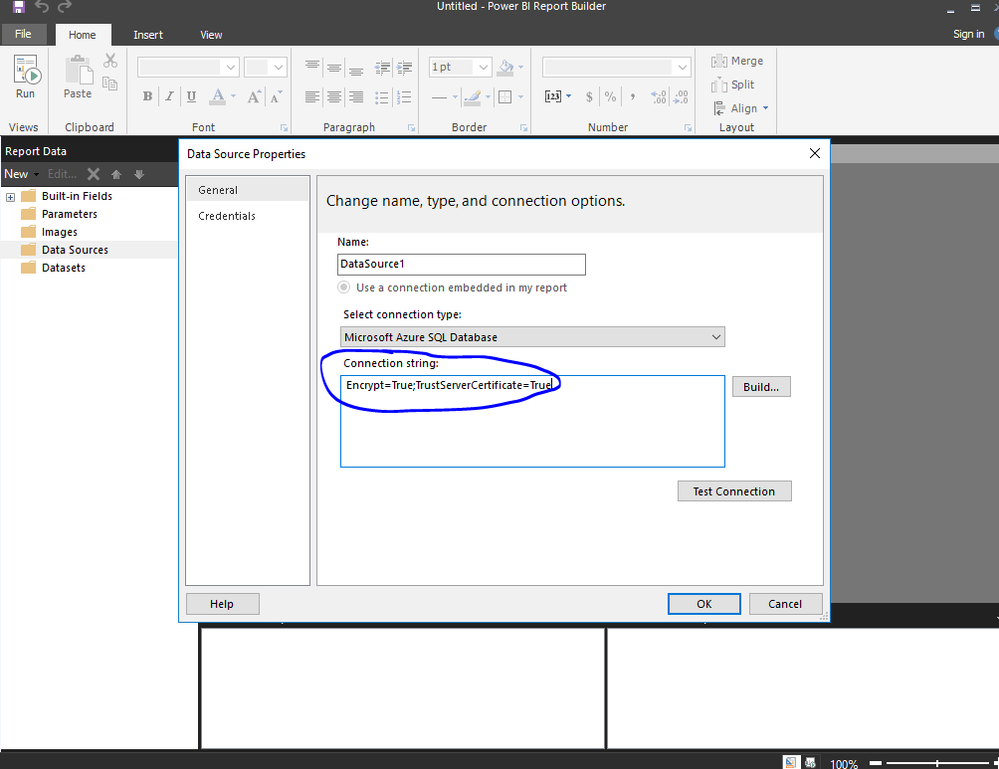
As far as I know, you can use ActiveDirectoryIntegrated in connection string :

Untitled picture.png


Use connection string like below:

string ConnectionString = @"Data Source=n9lxnyuzhv.database.windows.net; Authentication=Active Directory Integrated; Initial Catalog=testdb;";
SqlConnection conn = new SqlConnection(ConnectionString);
conn.Open();


For more details, please refer to https://stackoverflow.com/questions/49771761/azure-sql-database-active-directory-integrated-authenti...


If this post helps, then please consider Accept it as the solution to help the other members find it more quickly.


Best Regards,

Dedmon Dai


Helpful resources

Announcements
Fabric Community Sticker Design Challenge Barcelona Carousel

Fabric Community Sticker Challenge - Barcelona 2026

If you love stickers, then you will definitely want to check out our community sticker challenge, Barcelona edition!

July Power BI Update Carousel

Power BI Monthly Update - July 2026

Check out the July 2026 Power BI update to learn about new features.

Power BI DataViz World Championships carousel

Power BI DataViz World Championships - June 2026

A new Power BI DataViz World Championship is coming this June! Don't miss out on submitting your entry.