Don't miss your chance to take the Fabric Data Engineer (DP-700) exam on us!
Learn moreNext up in the FabCon + SQLCon recap series: The roadmap for Microsoft SQL and Maximizing Developer experiences in Fabric. All sessions are available on-demand after the live show. Register now
I have a report that is using Direct-Query data mode. The option for Page refresh is available. I can select what cycle I want the page to refresh and it works while I have the report open in Desktop. After I upload it to the Report Server, it doesn't autorefresh the page.
Is there something I'm missing to make this work?
Hi @pabeader , I have just been looking into this recently.
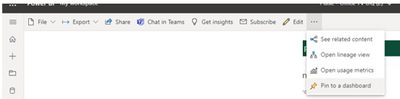
I found that it only works for me when I pin the visual or entire report to a 'Dashboard'
Hi,
I am having the same issue, it odd its available in the PBIRS Desktop client but not working when published, not sure if that is by design or simply not fully implemented yet 😪
I am not sure if this option is available for PBIRS
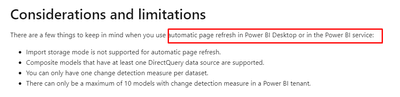
Ref: Automatic page refresh in Power BI Desktop - Power BI | Microsoft Docs
Proud to be a Super User!
Then why include it in the Report Server version of desktop? If it isn't supposed to work, don't include it.
Hi @pabeader ,
Sorry to have caused you misunderstanding. But there is no conflict between Power BI Desktop (optimized for Power BI Report Server) supporting automatic page refresh and Power BI Report Server not supporting it.
For using Automatic Page Refresh in Power BI Report Server, there is a workaround - Setting Data Refresh in Trigger Mode. When the data source referenced by the report has changed (added, changed, or deleted), then the trigger condition is activated to allow the PBI report to refresh the data immediately and keep the PBI report data up to date.
Best Regards,
Icey
If this post helps, then please consider Accept it as the solution to help the other members find it more quickly.
So, if I want to setup a Kiosk display, using the SQL trigger method will refresh the data. Does it also refresh the report display?
Hi @pabeader ,
No. It is needed to refresh the report page manually in this scenario.
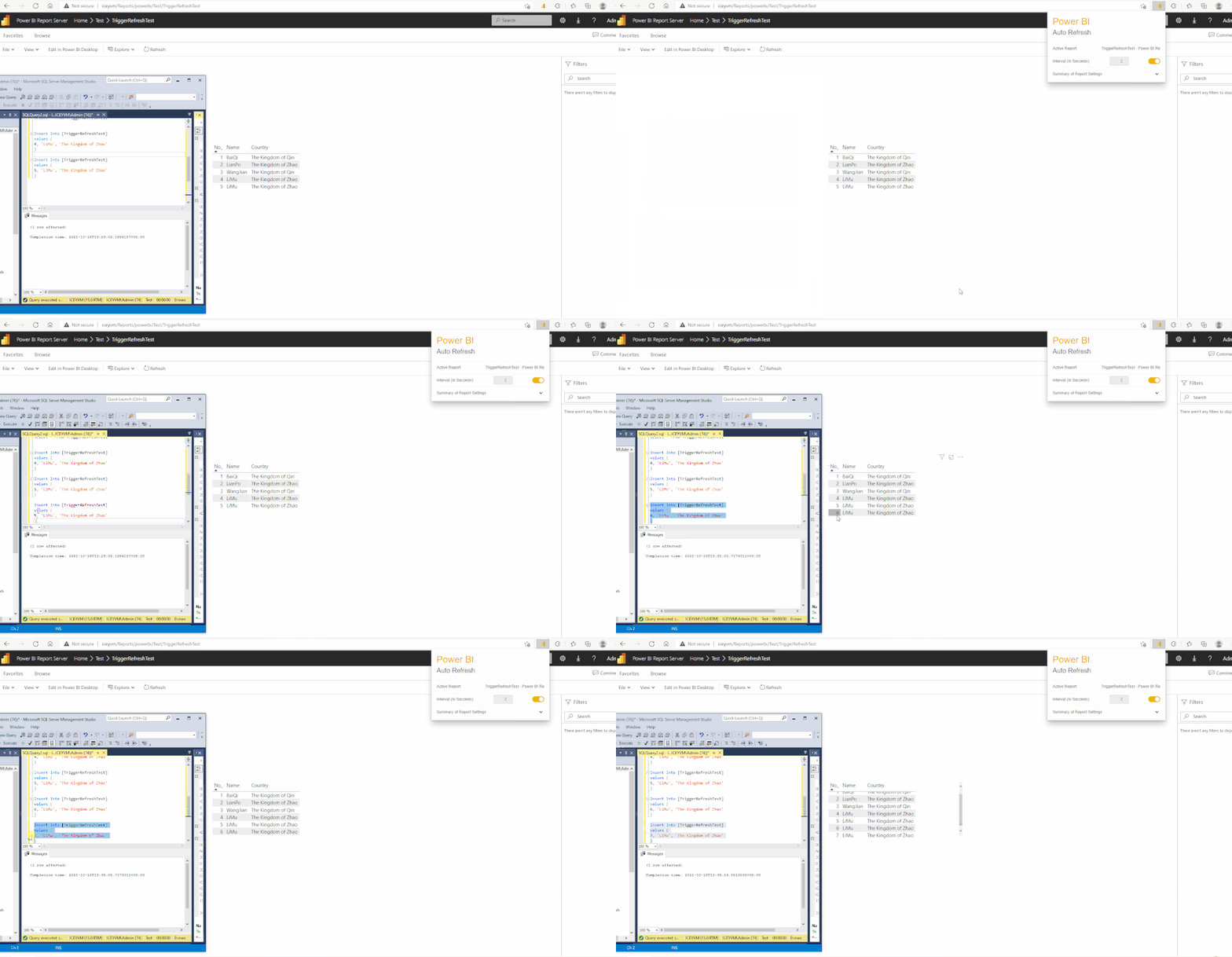
For your requirement, there is another workaround. No need to set SQL trigger, just try to add an extension to auto refresh browser page, such as Power BI Auto Refresh.
For Edge: Power BI Auto Refresh - Microsoft Edge Addons
For Chrome: Auto Refresh PowerBI Report - Chrome Web Store (google.com)
Here is an example:
Best Regards,
Icey
If this post helps, then please consider Accept it as the solution to help the other members find it more quickly.
I tried using one of those, but since it refreshes the whole page, it is actually calling the report, over and over again. instead of just refreshing the visuals.
If you have recently started exploring Fabric, we'd love to hear how it's going. Your feedback can help with product improvements.
A new Power BI DataViz World Championship is coming this June! Don't miss out on submitting your entry.
Share feedback directly with Fabric product managers, participate in targeted research studies and influence the Fabric roadmap.
| User | Count |
|---|---|
| 3 | |
| 2 | |
| 2 | |
| 2 | |
| 2 |