We've captured the moments from FabCon & SQLCon that everyone is talking about, and we are bringing them to the community, live and on-demand. Starts on April 14th. Register now
Hi,
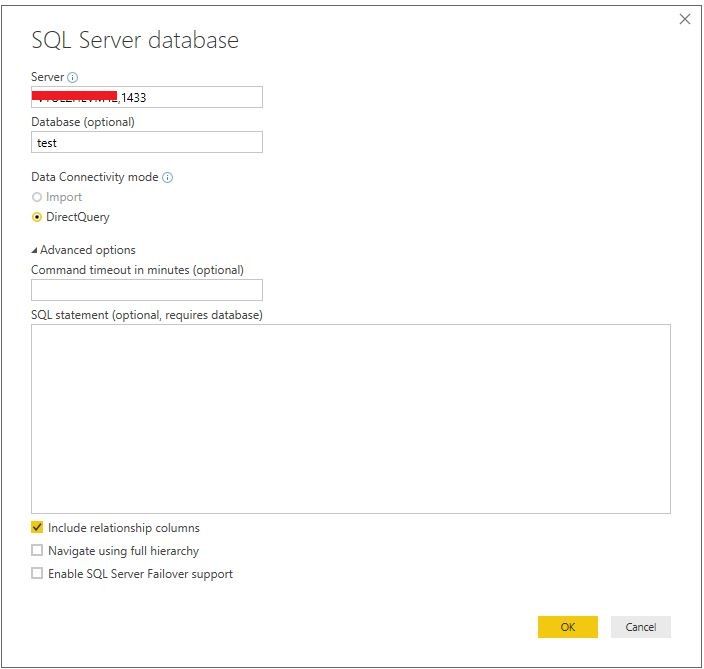
I need to connect to sql database. Our customer provided user name, password, dbname, port and host. I try to write my server name as host:port. I get an error. Do I need to configure something before connection? What would be the tutorial how to reach that data? Thank You in advance.
Solved! Go to Solution.
@aistebuivyte,
Could you please post the error message that you get? Are you able to connect to the SQL Server instance from SQL Server Management Studio(SSMS)? Make sure SSMS is installed in the same machine as Power BI Desktop, and configure remote access to your SQL instance following the guide in this blog.
In addition, please review the following example to connect to SQL Server in Power BI Desktop, enter host, port as Server.
Regards,
Lydia
@aistebuivyte,
Could you please post the error message that you get? Are you able to connect to the SQL Server instance from SQL Server Management Studio(SSMS)? Make sure SSMS is installed in the same machine as Power BI Desktop, and configure remote access to your SQL instance following the guide in this blog.
In addition, please review the following example to connect to SQL Server in Power BI Desktop, enter host, port as Server.
Regards,
Lydia
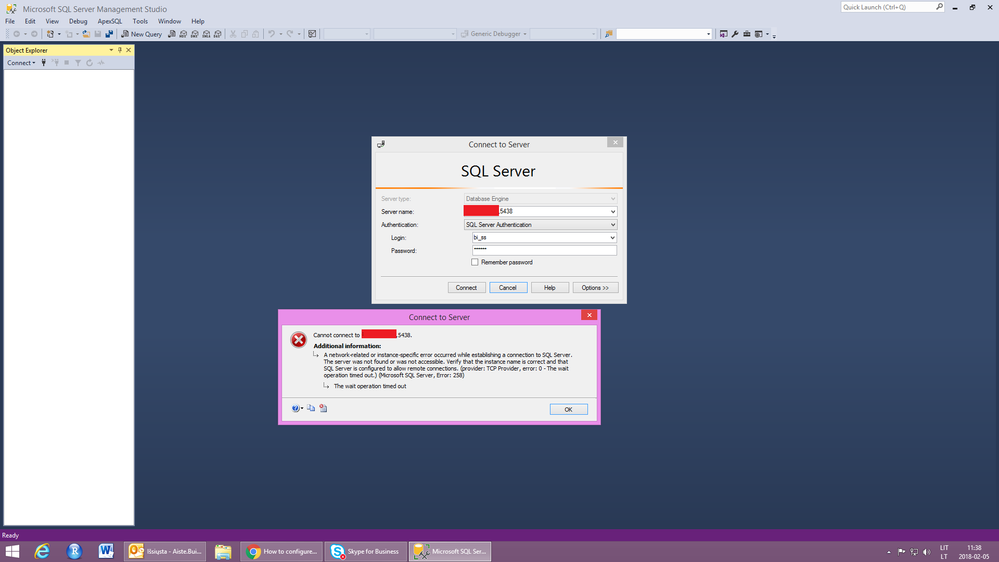
Thanks a lot for information provided. Unfortunately, I get an error below. That means I can't reach SQL server from SSMS. How could I solve this?
@aistebuivyte,
Ensure that you add the 5438 port into inbound rule of your firewall. And please follow the guide in the article below to troubleshoot the connection issue.
https://docs.microsoft.com/en-us/sql/database-engine/configure-windows/troubleshoot-connecting-to-th...
Regards,
Lydia
Hi,
I need to connect to sql database. Our customer provided user name, password, dbname, port and host. I try to write my server name as host:port. I get an error. Do I need to configure something before connection? What would be the tutorial how to reach that data? Thank You in advance.
If you have recently started exploring Fabric, we'd love to hear how it's going. Your feedback can help with product improvements.
A new Power BI DataViz World Championship is coming this June! Don't miss out on submitting your entry.
Share feedback directly with Fabric product managers, participate in targeted research studies and influence the Fabric roadmap.
| User | Count |
|---|---|
| 5 | |
| 3 | |
| 3 | |
| 2 | |
| 2 |
| User | Count |
|---|---|
| 10 | |
| 8 | |
| 7 | |
| 7 | |
| 5 |