cancel
Showing results for 
Search instead for 
Did you mean: 

We've captured the moments from FabCon & SQLCon that everyone is talking about, and we are bringing them to the community, live and on-demand. Starts on April 14th. Register now

Reply
analystmatt22
New Member

if else condition

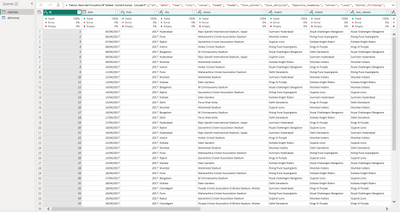
I have 2 tables based on cricket data. So 1 table has the data with each match id and other details. So a total of 636 matches and 638 rows. The second table has more in-depth data which shows 20 overs in each match id, each ball per over, and runs per ball per over. So if we consider 6 balls per over and a match with 20 overs, finally we have 636 matches * 20 overs * 6 balls = 76320 rows(76320 balls). including wide balls, we have another extra number of rows.


I am trying to calculate the runs per match, and then check how many centuries per match. Therefore, I need to make a new table or measure that checks, if-else statements to conditions similar to those below.


if sum(total runs) of (id)>100, then 1,

Elif sum(total runs) of (id)>200, then 2,

elif sum(total runs) of (id)>300, then 3 etc. I am writing here as an English statement.


Kindly guide with an option in power bi for the same. I have tried group by, related, calculated, etc, but possibly they are the wrong functions or maybe I am writing the syntax in the wrong way.


The below pics show the table's matches and deliveries.
 

Screenshot_1.pngScreenshot_2.png

1 ACCEPTED SOLUTION
Anonymous
Not applicable

Hi @analystmatt22 ,


Measures and calculated columns are based on DAX which means they can't be created in Power Query. In Power Query, we often use M language.

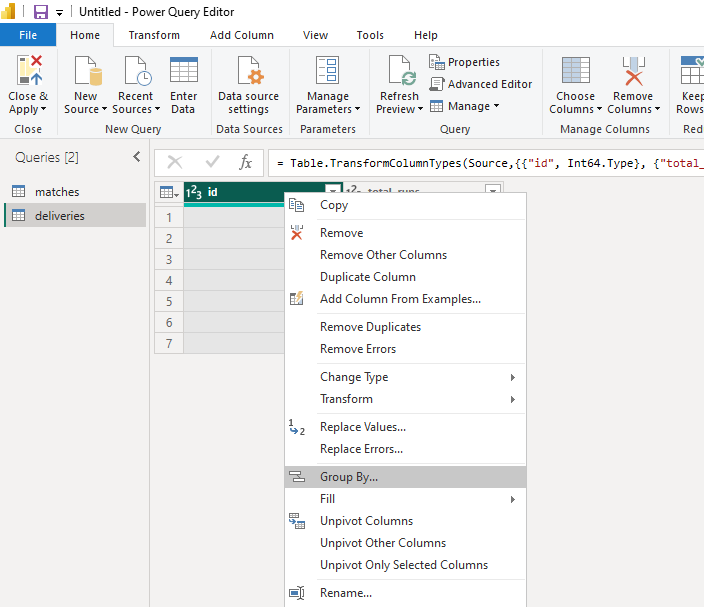
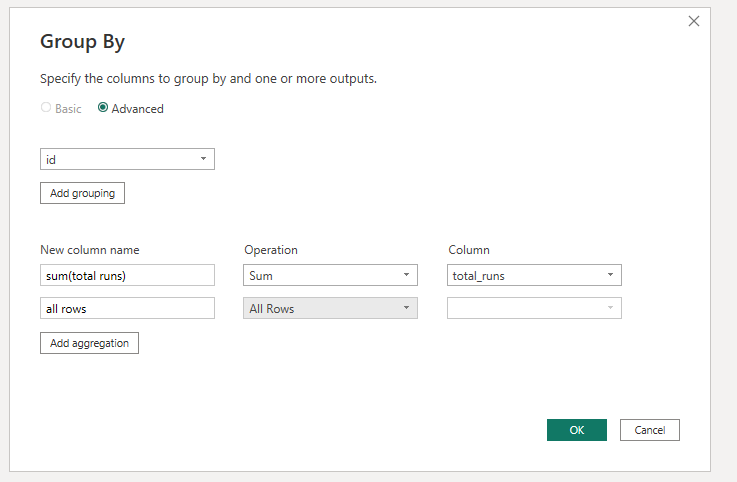
Try to use group by.

vstephenmsft_0-1684911663200.png

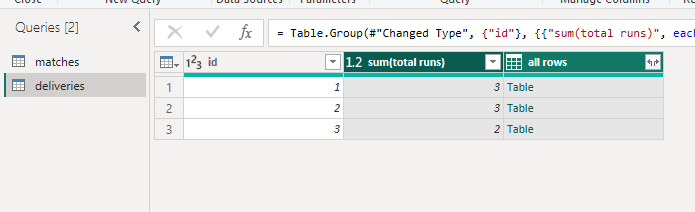
The all rows column is to restore previous rows later.

vstephenmsft_1-1684911701194.png

vstephenmsft_2-1684911765693.png

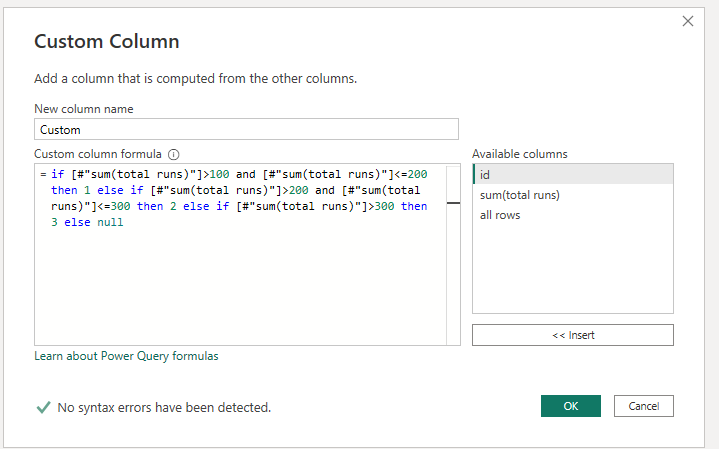
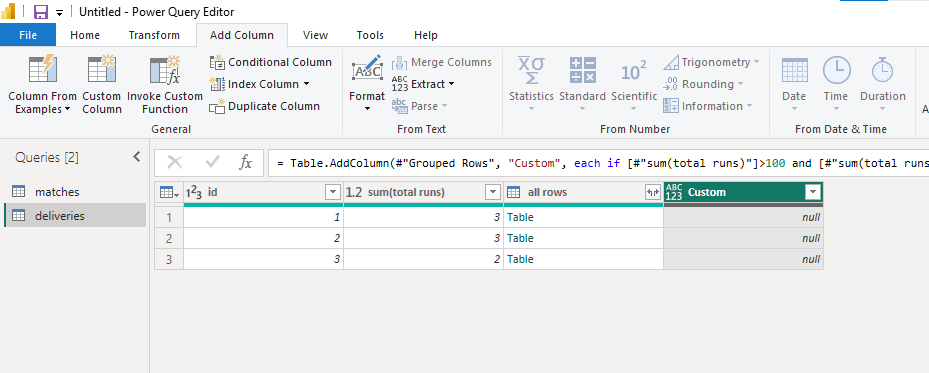
Add a custom colulmn.

vstephenmsft_3-1684911860324.png

vstephenmsft_4-1684911876768.png

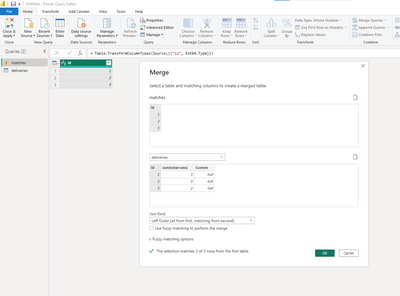
If you also want to match the custom column created in deliveries table to matches table. You can merge as follows.

vstephenmsft_5-1684911909728.png

vstephenmsft_7-1684911996802.png

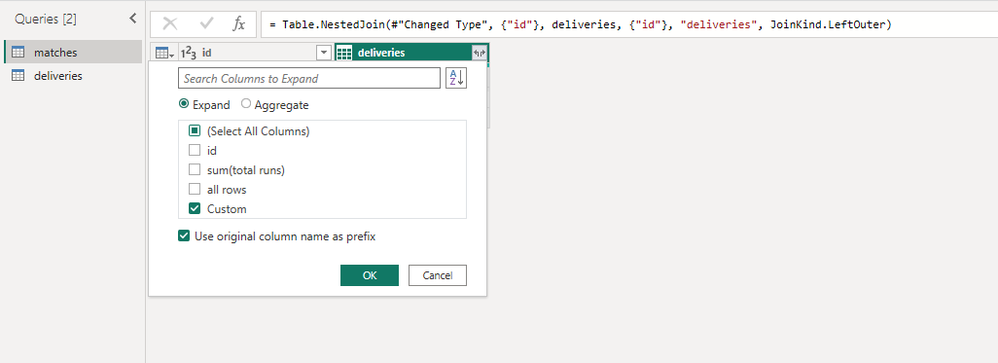
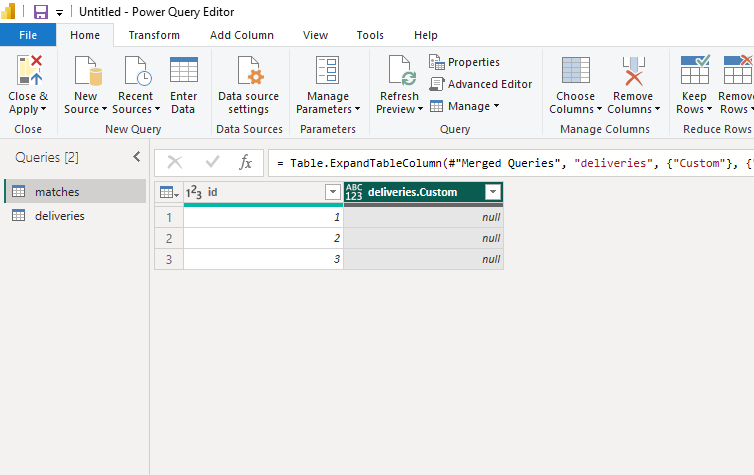
Expand the column you want.

vstephenmsft_6-1684911991443.png

vstephenmsft_8-1684912005674.png

Merge queries overview - Power Query | Microsoft Learn

How to GROUP BY or summarize rows - Power Query | Microsoft Learn


Best Regards,

Stephen Tao


If this post helps, then please consider Accept it as the solution to help the other members find it more quickly.           

View solution in original post

1 REPLY 1
Anonymous
Not applicable

Hi @analystmatt22 ,


Measures and calculated columns are based on DAX which means they can't be created in Power Query. In Power Query, we often use M language.

Try to use group by.

vstephenmsft_0-1684911663200.png

The all rows column is to restore previous rows later.

vstephenmsft_1-1684911701194.png

vstephenmsft_2-1684911765693.png

Add a custom colulmn.

vstephenmsft_3-1684911860324.png

vstephenmsft_4-1684911876768.png

If you also want to match the custom column created in deliveries table to matches table. You can merge as follows.

vstephenmsft_5-1684911909728.png

vstephenmsft_7-1684911996802.png

Expand the column you want.

vstephenmsft_6-1684911991443.png

vstephenmsft_8-1684912005674.png

Merge queries overview - Power Query | Microsoft Learn

How to GROUP BY or summarize rows - Power Query | Microsoft Learn


Best Regards,

Stephen Tao


If this post helps, then please consider Accept it as the solution to help the other members find it more quickly.           

Helpful resources

Announcements
New to Fabric survey Carousel

New to Fabric Survey

If you have recently started exploring Fabric, we'd love to hear how it's going. Your feedback can help with product improvements.

Power BI DataViz World Championships carousel

Power BI DataViz World Championships - June 2026

A new Power BI DataViz World Championship is coming this June! Don't miss out on submitting your entry.

Join our Fabric User Panel

Join our Fabric User Panel

Share feedback directly with Fabric product managers, participate in targeted research studies and influence the Fabric roadmap.

March Power BI Update Carousel

Power BI Community Update - March 2026

Check out the March 2026 Power BI update to learn about new features.