Join us at FabCon Atlanta from March 16 - 20, 2026, for the ultimate Fabric, Power BI, AI and SQL community-led event. Save $200 with code FABCOMM.
Register now!The Power BI Data Visualization World Championships is back! It's time to submit your entry. Live now!
Hi @Anonymous ,
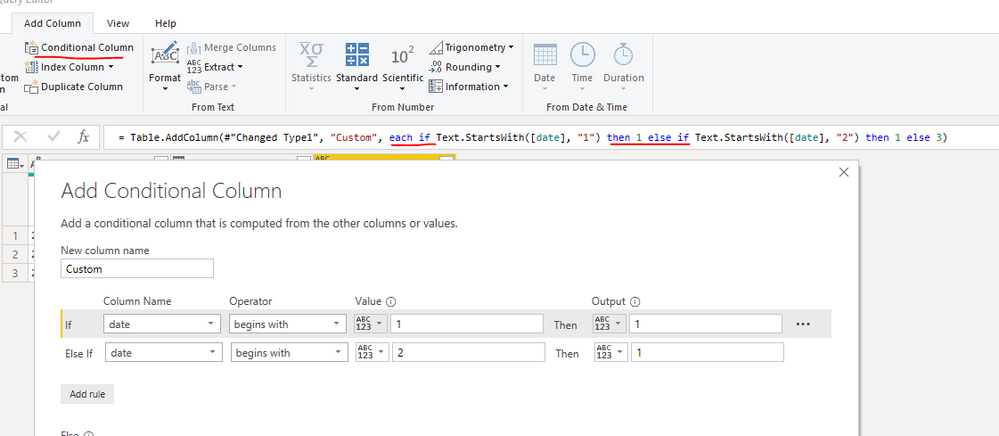
If +else if + then should be the same as if and. You can create a Conditional column in power query by adding multi rules to check the M code.
Hi @Anonymous ,
If +else if + then should be the same as if and. You can create a Conditional column in power query by adding multi rules to check the M code.
Yes they both exist.
If
https://docs.microsoft.com/en-us/dax/if-function-dax
And (which you could use a & or && for depending on situation)
@Anonymous ,
I believe he was asking after the M language, not DAX.
Nathaniel
Proud to be a Super User!
@Anonymous ,
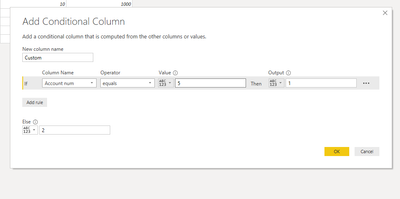
Yes it does! What I will usually do, is use the Add Conditional Column and enter something close, and then look at the syntax in the formula window. Combine that with google M language and what ever connectors I am researching.
Operators Try this for operators.
If this solves your issues, please mark it as the solution, so that others can find it easily. Kudos are nice too.
Nathaniel
Proud to be a Super User!
The Power BI Data Visualization World Championships is back! It's time to submit your entry.
Check out the January 2026 Power BI update to learn about new features.
| User | Count |
|---|---|
| 18 | |
| 13 | |
| 9 | |
| 8 | |
| 8 |