Join us at FabCon Atlanta from March 16 - 20, 2026, for the ultimate Fabric, Power BI, AI and SQL community-led event. Save $200 with code FABCOMM.
Register now!The Power BI Data Visualization World Championships is back! It's time to submit your entry. Live now!
Hi is it possible to make a visualisation like that in Excel - ie with filtering?
I cannot see in the data screen - any of my loaded data - the visualisations are fine.
Thank you
There is no "Excel" visual with filtering, etc. You can either:
then either provide user filtering via slicers or the filter pane.
DAX is for Analysis. Power Query is for Data Modeling
Proud to be a Super User!
MCSA: BI ReportingIf you want Power BI to act and feel like excel I think you're going to be disappointed however, you can use Power Query ( by clicking on transform data button) which will allow you to shape your data in an easier to use format.
If you're new to Power BI, these guys are worth their weight in gold - https://www.youtube.com/c/GuyinaCube/playlists
Thank you 🙂
but do you know why the Excel data does not show in the data section? Normally it does!
Jo
Hi @Anonymous ,
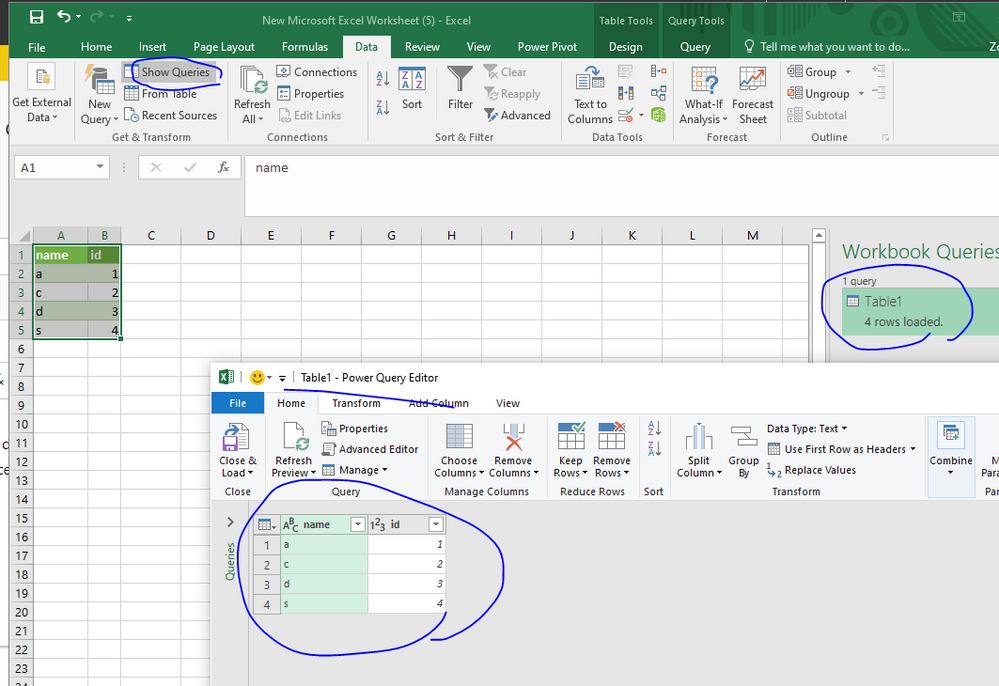
What did you mean of " Excel data does not show in the data section"? Did you mean that you miss some data when you connect table in Excel? Or what feature did you want to get in Excel? If you want to view source data , you could try to view it like below
If this is not what you want, please correct me and inform me more information.
Best Regards,
Zoe Zhi
If this post helps, then please consider Accept it as the solution to help the other members find it more quickly.
Hi I am not able to show you the image - but the screen where is has at the extreme left
relationships, then the middle icon is data, the top icon is visualisations (From the home tab) when I click on data - it does not show the file but I can see it when I do a query.
Why does the "data" page not show? It usually does.
Sorry I cannot make it clearer without being able to upload an image
The Power BI Data Visualization World Championships is back! It's time to submit your entry.
Check out the January 2026 Power BI update to learn about new features.
| User | Count |
|---|---|
| 19 | |
| 12 | |
| 9 | |
| 8 | |
| 8 |