cancel
Showing results for 
Search instead for 
Did you mean: 

Join the FabCon + SQLCon recap series. Up next: Power BI, Real-Time Intelligence, IQ and AI, and Data Factory take center stage. All sessions are available on-demand after the live show. Register now

Reply
billhand27
New Member

Zendesk Custom Lists

When I try to bring in a custom list to Power BI Desktop, custom lists just show as [List].  Does anyone know if it is possible to actually see the information in the list?  I have some custom categories that I would like to group by.


Thanks

2 REPLIES 2
mike_honey
Memorable Member
Memorable Member

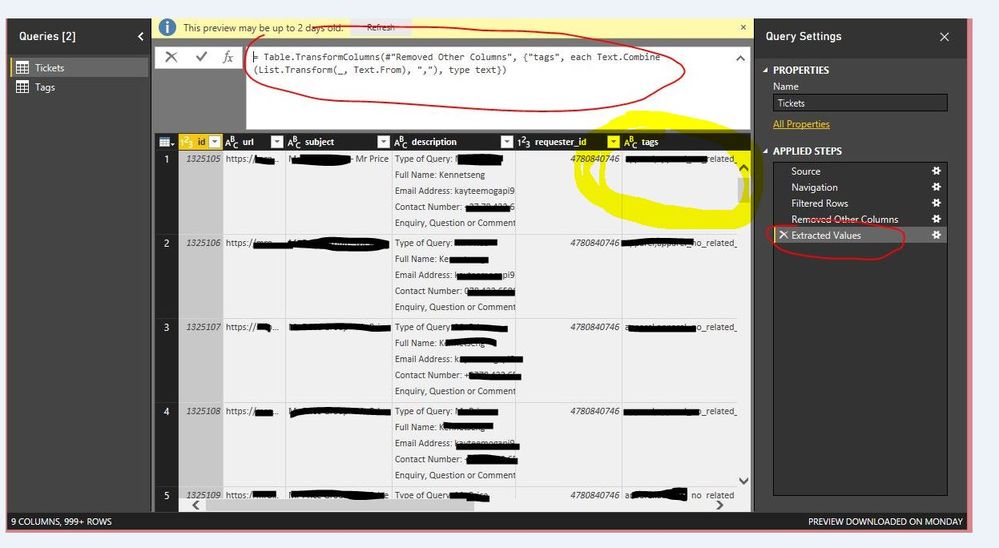
I haven't specifically used the Zendesk integration, but it sounds like you should be able to go into the Edit Queries window (in PBI Desktop), find your Query and Column and then click the Expand button in the List column's header.  That will add a Query Step to blow the list out to show it's values. 


Note if the list has multiple entries, each will produce an additional row. This is evaluated row-by-row.

Click the icon on the top of the column to split the data into a delimited listing in the same cell. Works perfectly! Capture.JPG


Helpful resources

Announcements
April Power BI Update Carousel

Power BI Monthly Update - April 2026

Check out the April 2026 Power BI update to learn about new features.

New to Fabric survey Carousel

New to Fabric Survey

If you have recently started exploring Fabric, we'd love to hear how it's going. Your feedback can help with product improvements.

Power BI DataViz World Championships carousel

Power BI DataViz World Championships - June 2026

A new Power BI DataViz World Championship is coming this June! Don't miss out on submitting your entry.

FabCon and SQLCon Highlights Carousel

FabCon &SQLCon Highlights

Experience the highlights from FabCon & SQLCon, available live and on-demand starting April 14th.