Hello,
I've been using Power BI to pull data from a REST API data source (LogMeIn Rescue's HTTP GET method). As of this week, it is no longer working as it originally had, leading me to think something has changed with the way Power BI is handling the query.
Essentially, when using their API's HTTP GET method, from a web browser I can send GET requests to set up the report options, such as the timezone, delimiter, and date range for the report (so Eastern Standard Time, comma-delimited, and beginning of current year to yesterday). After, I can send the getReport command to retrieve the report with the options I sent previously.
This used to work in Power BI without any issues, but now it doesn't seem to save/remember the session/cookies of the previous GET methods, so when it goes to request the report, none of the options are applied to it.
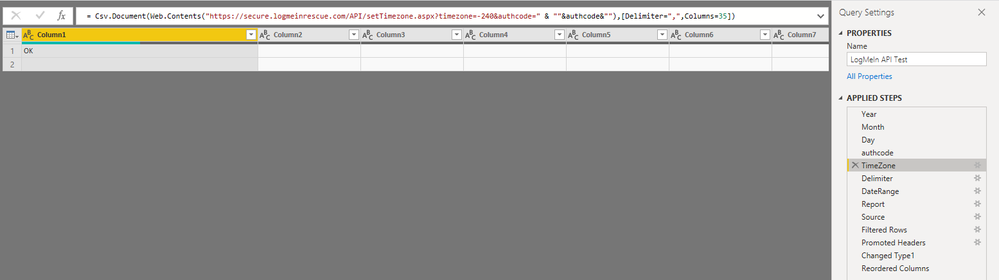
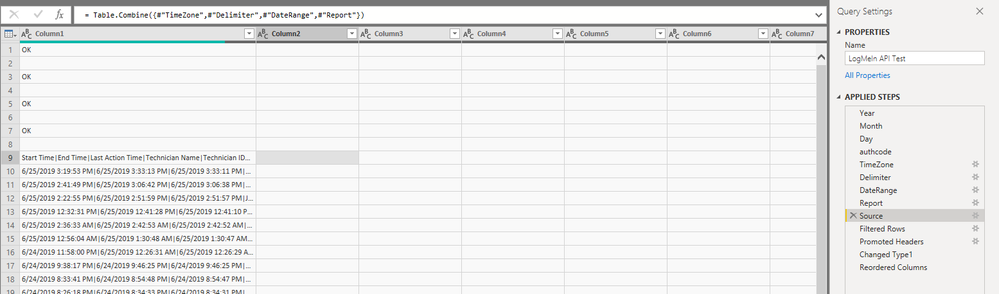
Here's a snippet of the query. I have verified that each "step" of the query provides an "OK" response from the API, so everything is still sending correctly in that regard:
let
    Year = Date.ToText((Date.AddDays(Date.From(DateTime.FixedLocalNow()),-1)),"yyyy"),
    Month = Date.ToText((Date.AddDays(Date.From(DateTime.FixedLocalNow()),-1)),"MM"),
    Day = Date.ToText((Date.AddDays(Date.From(DateTime.FixedLocalNow()),-1)),"dd"),

    URL = "https://secure.logmeinrescue.com/API",
    authcode = "myauthcode",
    TimeZonePath = "setTimezone.aspx?timezone=-240&authcode=" & ""&authcode&"",
    DelimiterPath = "setDelimiter.aspx?delimiter=,&authcode=" & ""&authcode&"",
    DateRangePath = "setReportDate_v2.aspx?bdate=1/1/" & ""&Year&"" & " 00:00:00" & "&edate=" & ""&Month&"" & "/" & ""&Day&"" & "/" & ""&Year&"" & " 23:59:59" & "&authcode=" & ""&authcode&"",
    ReportPath = "getReport.aspx?node=14153094&nodetype=NODE&authcode=" & ""&authcode&"",

    TimeZone = Csv.Document(Web.Contents(URL,[RelativePath = TimeZonePath]),[Delimiter=",", Columns=35]),
    Delimiter = Csv.Document(Web.Contents(URL,[RelativePath = DelimiterPath]),[Delimiter=",", Columns=35]),
    DateRange = Csv.Document(Web.Contents(URL,[RelativePath = DateRangePath]),[Delimiter=",", Columns=35]),
    Report = Csv.Document(Web.Contents(URL,[RelativePath = ReportPath,Timeout=#duration(0,0,5,0)]),[Delimiter=",", Columns=35]),

    Source = Table.Combine({#"TimeZone",#"Delimiter",#"DateRange",#"Report"}),
Has something changed with the behaviour in which Power BI now handles sessions/cookies for Web.Contents? If so, is there an option I can set to have it use the same session across each Web.Contents?
Thanks!