cancel
Showing results for 
Search instead for 
Did you mean: 

Did you hear? There's a new SQL AI Developer certification (DP-800). Start preparing now and be one of the first to get certified. Register now

Reply
timl
Regular Visitor

Problem connecting to Teradata

I wish to use Teradata as a resource for Power BI Desktop. So after Get Data I select Teradata Database. I get a response of "This resource requires one or more additional components to be installed before it can be used." I select the Learn More link and get directed to a Teradata page regarding .NET Data Provider for Teradata. I go thru the login process for Teradata and select tdnetdp__windows_indep.16.10.00.00.exe to download. After download I run it. Teradata List Products then shows that it is installed (16.10.0.0.NET Data Provider for Teradata 16.10).


So back in Power BI, I try Get Data once again. Same response. I restart Power BI. I download the latest version of Power BI. Still I get "This resource requires one or more ..." and get redirected back to the Teradata page to download.


What am I doing wrong?

6 REPLIES 6
Anonymous
Not applicable

@timl,

After I download .NET Data Provider for Teradata from this link and install it, I can use the Teradata connector in  Desktop, you can review the screenshots in my environment.
1.JPG2.JPG

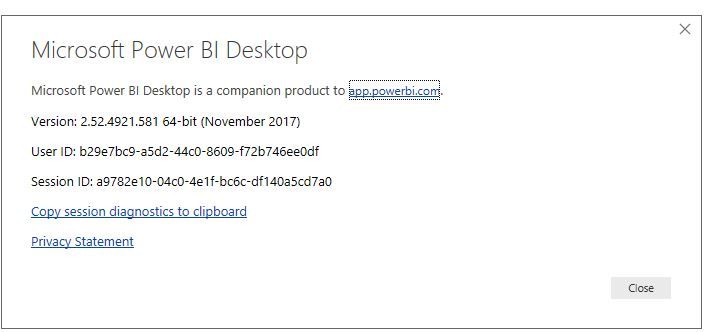
In your scenario, please use the latest version of Power BI Desktop(2.52.4921.581), and reboot your machine after installing .NET Data Provider for Teradata using administrator account.


Regards,
Lydia


Thanks for your help.


I went back and re-installed .NET Data Provider 16.10.00.00. I confirmed that I am on Version: 2.52.4921.581 64-bit (November, 2017), and I rebooted my laptop.


But I still get "The connector requires ...". It's like Power BI cannot find the .NET Data Provider on my machine.

Anonymous
Not applicable

@timl

Do you get same error message when you install Power BI Desktop in other computer?

Regards,
Lydia

Unfortunately I don't have another computer handy. I think I will continue using Teradata via the ODBC driver. But thanks for your help.

Hi timl, I used to have The same problem. What fixed it for me is to chose repair when you reinstall the .netprovider instead of deleting it and reinstalling it. 

timl
Regular Visitor

Further information ...


I downloaded the Teradata SQL Assistant and I can connect that to Teradata.Net as well as via the ODBC driver. In Power BI I can Get Data using the ODBC connector but continue to get "This connector requires one or more additional components ..." if I try to use the Teradata connector.

Helpful resources

Announcements
April Power BI Update Carousel

Power BI Monthly Update - April 2026

Check out the April 2026 Power BI update to learn about new features.

Fabric SQL PBI Data Days

Data Days 2026 coming soon!

Sign up to receive a private message when registration opens and key events begin.

New to Fabric survey Carousel

New to Fabric Survey

If you have recently started exploring Fabric, we'd love to hear how it's going. Your feedback can help with product improvements.

Power BI DataViz World Championships carousel

Power BI DataViz World Championships - June 2026

A new Power BI DataViz World Championship is coming this June! Don't miss out on submitting your entry.