Don't miss your chance to take the Fabric Data Engineer (DP-600) exam for FREE! Find out how by attending the DP-600 session on April 23rd (pacific time), live or on-demand.
Learn moreNext up in the FabCon + SQLCon recap series: The roadmap for Microsoft SQL and Maximizing Developer experiences in Fabric. All sessions are available on-demand after the live show. Register now
Hi,
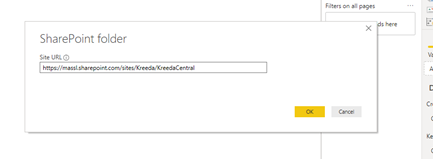
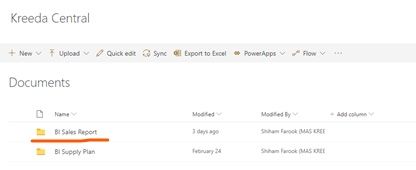
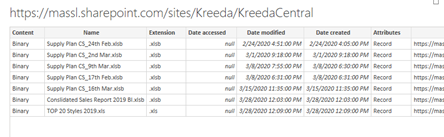
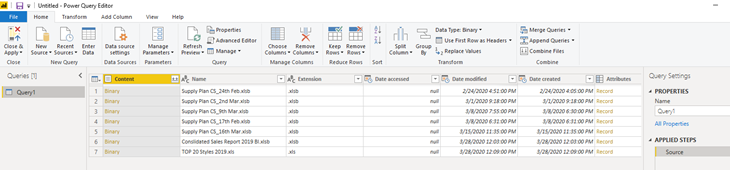
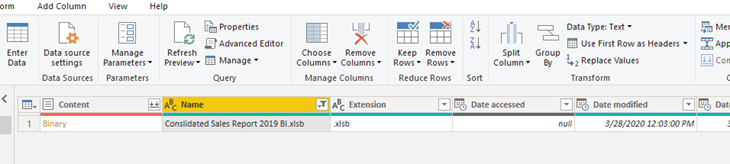
My power query not loading the required file into my power bi desktop. I listed the step I followed to load the file from share folder. However, the desktop is working perfectly when I'm using the data source which stored in my local drive.
Please support to rectify the issue.
Hi @Anonymous
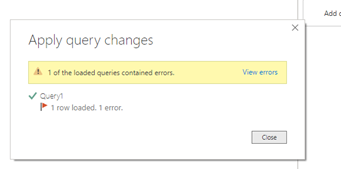
Click on "view error" to see details.
Or go to edit queries, see if there is any "Query errors" under the left queries pane.
Share details for further analysis.
You could also check if there is any column where some rows have incorrect data type/format.
Best Regards
Maggie
The 'View Error' shows as per the below image. On 'Kept Errors' it shows the This table is empty. However, According to source, my file 'Consolidated Sales Report 2019' contains the table name 'SalesReport_2019'.
Apart from that, I re-enter my credentials as well in 'Data source settings'.
Thanks
Shiham
Hi @Anonymous
You could check if the following provides any useful solution.
https://community.powerbi.com/t5/Desktop/Blank-Table-error/td-p/297329
Best Regards
Maggie
If you have recently started exploring Fabric, we'd love to hear how it's going. Your feedback can help with product improvements.
A new Power BI DataViz World Championship is coming this June! Don't miss out on submitting your entry.
Experience the highlights from FabCon & SQLCon, available live and on-demand starting April 14th.
| User | Count |
|---|---|
| 5 | |
| 3 | |
| 3 | |
| 3 | |
| 2 |
| User | Count |
|---|---|
| 7 | |
| 5 | |
| 5 | |
| 5 | |
| 4 |