Share feedback directly with Fabric product managers, participate in targeted research studies and influence the Fabric roadmap.
Sign up nowGet Fabric certified for FREE! Don't miss your chance! Learn more
Hi,
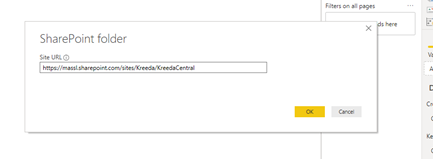
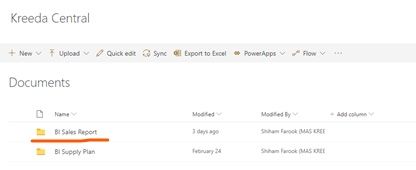
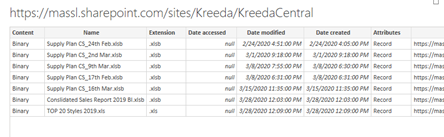
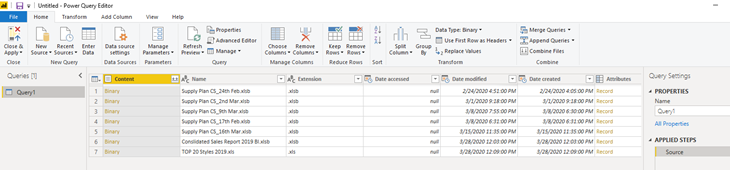
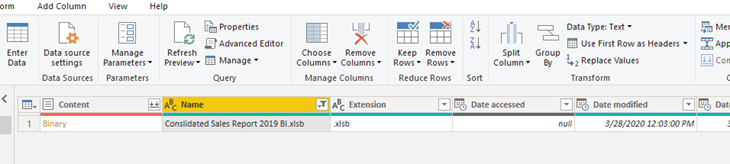
My power query not loading the required file into my power bi desktop. I listed the step I followed to load the file from share folder. However, the desktop is working perfectly when I'm using the data source which stored in my local drive.
Please support to rectify the issue.
Hi @Anonymous
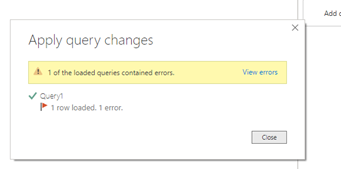
Click on "view error" to see details.
Or go to edit queries, see if there is any "Query errors" under the left queries pane.
Share details for further analysis.
You could also check if there is any column where some rows have incorrect data type/format.
Best Regards
Maggie
The 'View Error' shows as per the below image. On 'Kept Errors' it shows the This table is empty. However, According to source, my file 'Consolidated Sales Report 2019' contains the table name 'SalesReport_2019'.
Apart from that, I re-enter my credentials as well in 'Data source settings'.
Thanks
Shiham
Hi @Anonymous
You could check if the following provides any useful solution.
https://community.powerbi.com/t5/Desktop/Blank-Table-error/td-p/297329
Best Regards
Maggie
If you love stickers, then you will definitely want to check out our Community Sticker Challenge!
Check out the January 2026 Power BI update to learn about new features.
| User | Count |
|---|---|
| 7 | |
| 5 | |
| 4 | |
| 4 | |
| 3 |
| User | Count |
|---|---|
| 13 | |
| 11 | |
| 11 | |
| 7 | |
| 6 |